# API tokens and permissions
> Create and manage API tokens in Rippling.
## Overview
Rippling’s REST API uses API tokens to authenticate requests and determine what data can be accessed. API token access is determined by two factors:
1. The permission profile of the user who created the token.
2. The API scopes selected during token creation.
While your permission profile may be granted access to certain information, you will also need to enable these same scopes when generating the API token in order to fetch this information. Consequently, if a user does not have permission to view certain data within Rippling, they will be unable to select specific scopes when creating an API token.
> **Note:**
> Since API tokens are generated with the permissions of the owner, a change to the owner's permissions can also change the scopes available to select within the API token.
Tokens are generated in the API credentials tab of the Developer app. Within API credentials, there are two permission levels: **Manage the API Tokens app** (admin) or **Create and manage API Tokens**.
| Capability | Admin | Create and manage API Tokens |
| --- | --- | --- |
| Create and edit own tokens | ✅ | ✅ |
| View own tokens | ✅ | ✅ |
| View all company tokens | ✅ | ❌ |
| Edit other users’ token metadata | ✅ | ❌ |
| Revoke any token | ✅ | ❌ |
> **Note:**
> We recommend granting **admin** permissions to your IT administrator or security team.
API tokens are Bearer tokens passed in the `Authorization` header:
Authenticated request
```bash
curl -X 'GET'
'https://rest.ripplingapis.com/users'
-H 'accept: application/json'
-H 'Authorization: Bearer UOCgmwb.....'
```
Since each API token is associated with an owner, it is automatically revoked or expired if the owner is terminated or the token remains unused for over 30 days. You can refer to the `Last accessed` field to see when an API token was last used.
> **Key takeaways:**
> - API tokens inherit the permissions of their creator.
> - A token can only access data permitted by both the user’s permission profile **and** the token’s scopes.
> - Changes to a user’s permissions automatically applies to all tokens they've created.
> - Tokens are revoked if the owner is terminated or if the token is unused for more than 30 days.
* * *
## Manage API tokens
### Create
1. Navigate to [API credentials](https://app.rippling.com/api-tokens/tokens) (**Developer** > **API credentials**).
2. Click **New API token**. An API token requires the following fields:
| Field | Description | Able to update after creation |
| --- | --- | --- |
| Name | A descriptive display name to communicate what the API token is used for. | ✅ |
| Unique identifier | The unique identifier for the API token. | ❌ |
| API version | The version associated with the API token. API tokens using prior versions will stay on that version until either the owner or Admin updates the version, or the version is deprecated. | ✅ |
3. Assign scopes to the API token.
> **Note:**
> If **Custom Objects** or **Custom Object Records** scopes are included during token creation, you will also need to select which object and record types the API token will be able to access (dependent upon your permissions). See this [Help Center article](https://help.rippling.com/article?articleId=500332279960) for more information.
4. Save the API token value after completing the creation flow. Note that **you cannot view the API token** again, so ensure you download or copy it at this point. Any request using the API token appears as the owner making the request, so please treat an API token as a password.
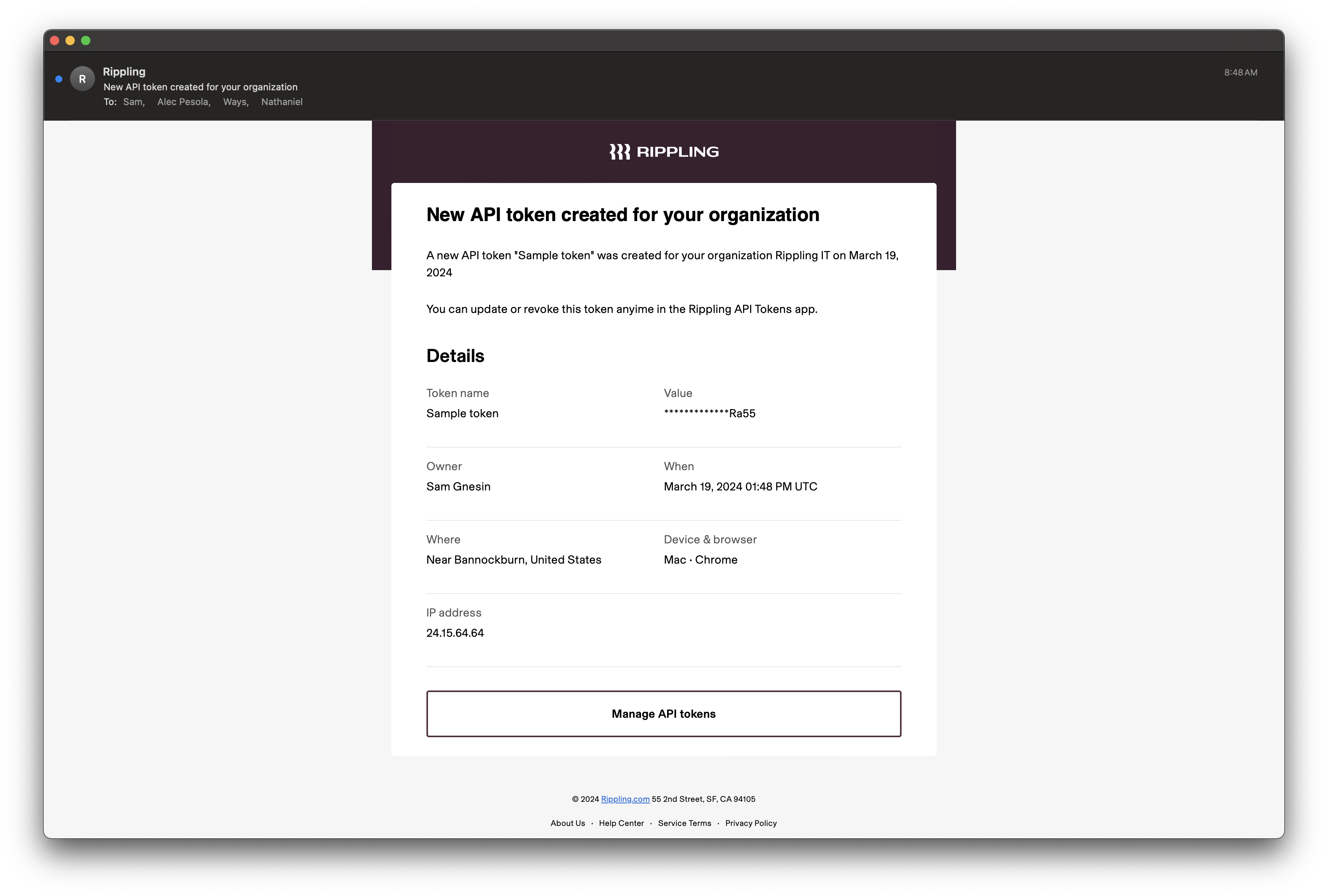
When an API token is created, a notification to the owner, API Token Admins, and company Super/Full Admins is sent for security purposes:
**Subject:** _"New API token created for your organization"_
### Edit
API token owners can add or remove scopes from an API token at any time. To edit an existing token:
1. Go to **Developer** > **API credentials**.
2. Click the three dots next to the token.
3. Click **Edit** and update scopes as needed.
> **API token scopes can only be updated by the token's owner!:**
> Rippling does not allow updating API scopes on tokens not created by the user. API token admins can update the **Name** and **API version** of other user's tokens.
### Revoke
> **Note:**
> Revoking an API token is a destructive action. It deletes the API token and attempting to use it again will result in an `HTTP 401 Unauthorized` error.
1. Go to **Developer** > **API credentials**.
2. Click the three dots next to the token.
3. Click **Revoke and remove**, then confirm.
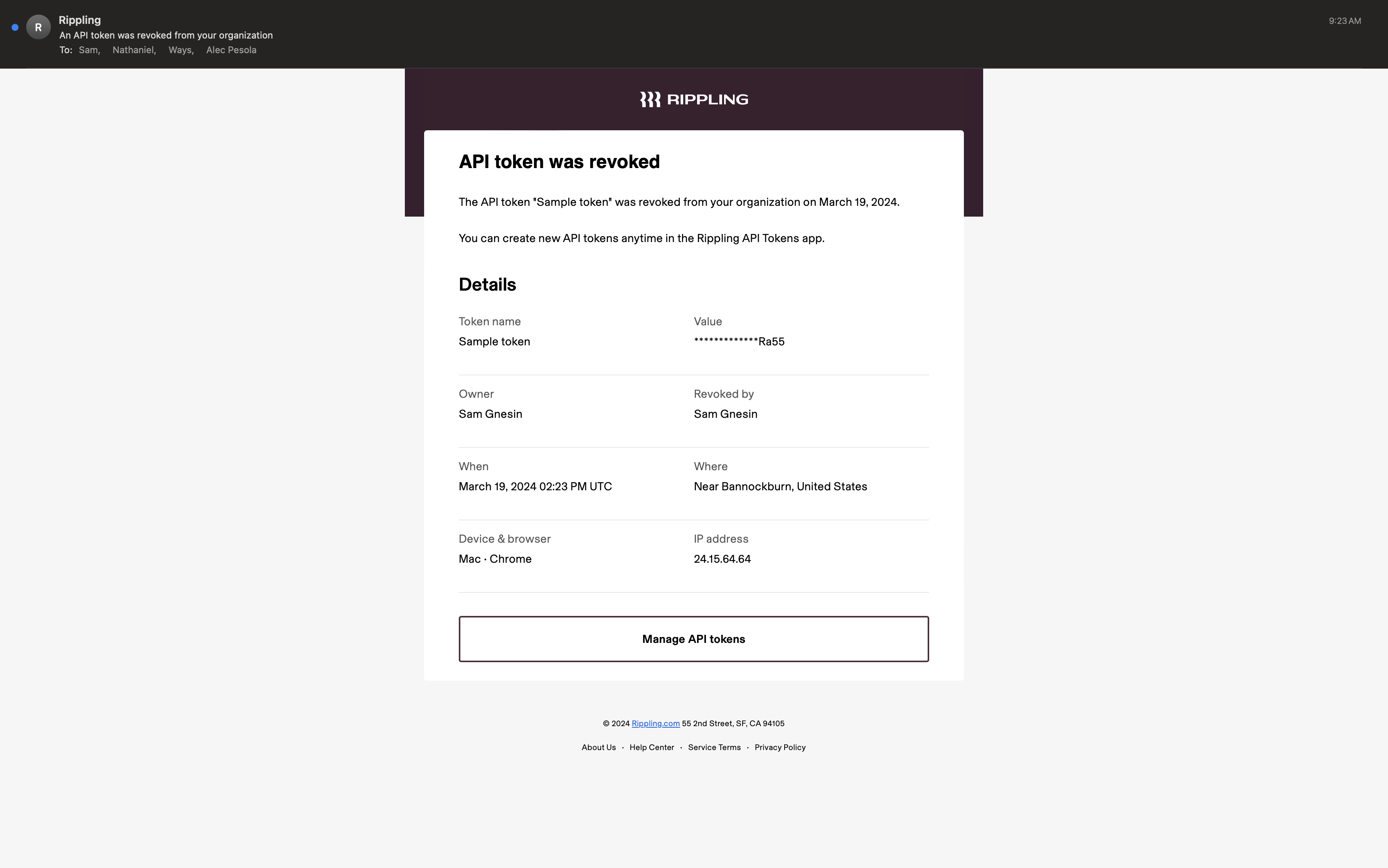
When the API token is revoked, an email notification is sent to the owner, API Token Admins, and company Super/Full Admins.
**Subject:** _"An API token was revoked"_
* * *
## Permission use cases
Below are example permission profiles and how you can provide the appropriate amount of access based on company needs.
If you are not familiar with Rippling permissions, please review the following Help Center articles:
- [Introduction to permissions](https://help.rippling.com/article?articleId=360054482954)
- [Create and assign a permission profile](https://help.rippling.com/article?articleId=360054482094)
#### Super Admin (System default)
The [super admin](https://help.rippling.com/article?articleId=218616651966) permission profile grants users unrestricted access to all features and settings within Rippling. This includes the ability to view, create, modify, and delete any data or settings, as well as configure system-level settings and manage other users' permissions.
| Category | Details |
| --- | --- |
| **Permission profile scope** | - The entire company |
| **API Tokens app permissions** | - Manage the API Tokens app
- Create and manage API tokens |
| **Employment data access** | - View and edit all sensitive data |
| **Limitations** | - Limited to the scopes selected within the API token.
- If all scopes are selected, then there are no limitations. |
#### Third-Party IT Consultant
The [Third-Party IT Consultant](https://help.rippling.com/article?articleId=599276218499) profile allows the user to manage IT-related applications, integrations, and devices within Rippling. They can install and configure IT apps, manage hardware/software inventories, and integrate with other tools.
This is used for external IT consultants or vendors who need to maintain or set up IT infrastructure without accessing confidential employee data. It ensures that the user can perform necessary IT functions while maintaining data security.
| Category | Details |
| --- | --- |
| **Permission profile scope** | - The entire company |
| **API Tokens app permissions** | - Manage the API Tokens app
- Create and manage API tokens |
| **Employment data access** | - View all basic personal |
| **Limitations** | - Limited to the scopes selected within the API token.
- Unable to fetch sensitive employee data due to the permission profile limitations (such as compensation).
- Unable to edit employee data, or use certain PATCH, POST, and PUT endpoints. |
#### Developer (System default)
Users with this profile can create API tokens, functions, webhooks, and custom applications within Rippling. This role is focused on extending the platform's capabilities and integrating it with other systems.
Assign this profile to in-house developers or technical team members working on custom integrations or applications that enhance Rippling’s functionality.
| Category | Details |
| --- | --- |
| **Permission profile scope** | - The entire company |
| **API Tokens app permissions** | - Create and manage API tokens |
| **Employment data access** | - View all basic personal |
| **Limitations** | - Limited to the scopes selected within the API token.
- Unable to fetch sensitive employee data due to the permission profile limitations (such as compensation).
- Unable to manage the API Tokens app or view API tokens created by other Admins. |
#### Payroll Administrator
The [Payroll Administrator](https://help.rippling.com/article?articleId=599276218499) profile provides the ability to manage and approve payroll processes, ensuring that employees are paid accurately and on time. It includes managing payroll runs, handling deductions, bonuses, and benefits, and integrating payroll data with accounting systems. It also allows the creation and management of API tokens related to payroll functions.
Suitable for HR or finance personnel responsible for payroll processing, this permission profile makes certain that those handling sensitive payroll data can manage it efficiently while integrating seamlessly with financial tracking systems.
| Category | Details |
| --- | --- |
| **Permission profile scope** | - The entire company |
| **API Tokens app permissions** | - Create and manage API tokens |
| **Employment data access** | - View and edit all sensitive employment data |
| **Limitations** | - Limited to the scopes selected within the API token.
- Unable to manage the API Tokens app or view API tokens created by other Admins. |
#### Time Off Admin/Manager
Users with the [Time Off Admin/Manager](https://help.rippling.com/article?articleId=599276218499) profile can manage employee time-off requests and policies. They have the authority to approve or reject time-off requests, set or adjust time-off policies, and track leave balances for all employees.
Suitable for HR managers or team leads who need to oversee employee attendance and guarantee the organization’s time-off policies are applied consistently.
| Category | Details |
| --- | --- |
| **Permission profile scope** | - Direct and indirect reports |
| **API Tokens app permissions** | - Create and manage API tokens |
| **Employment data access** | - View all basic personal |
| **Limitations** | - Limited to the scopes selected within the API token.
- Unable to fetch sensitive employee data due to the permission profile limitations (ex. compensation).
- Cannot fetch information outside of direct and indirect reports.
- Unable to manage the API Tokens app or view API tokens created by other Admins. |
#### Custom Fields Admin
Custom fields are additional fields you can add if you want to collect and store information beyond Rippling’s default fields.
In order to access this information, the API admin needs their permission profile configured with access to sensitive employment data.
| Category | Details |
| --- | --- |
| **Permission profile scope** | - The entire company |
| **API Tokens app permissions** | - Create and manage API tokens |
| **Employment data access** | - View all sensitive employment data |
| **Limitations** | - Limited to the scopes selected within the API token.
- Unable to manage the API Tokens app or view API tokens created by other Admins. |
* * *
## FAQs
### Why am I seeing null values in responses?
null values indicate the data exists but your API token does not have permission to view it.
Check:
- The token owner’s permission profile.
- The token’s enabled scopes.
- Whether the required [expand parameters](https://developer.rippling.com/documentation/rest-api/essentials/query-parameters) have been included in the request.
Field-by-field rules for workers, users, and compensation are in [Worker and user field access](https://developer.rippling.com/documentation/rest-api/guides/worker-field-access).
### Insufficient OAuth scopes
`Insufficient oauth scopes to access ____` errors occur when an API request tries to access data or endpoints outside the API token’s scope or the user’s permission level.
Check:
- The token owner’s permission profile.
- The token’s enabled scopes.
### Why is my response missing employees or records?
API responses only include data the API token owner's permission profile is authorized to view.
For example:
- Managers can only retrieve data for their direct and indirect reports.
- Super Admins can retrieve company-wide data.
To expand access, update the user’s permission profile to include **The entire company**.
### When API token creators are terminated, what happens to their API tokens?
Tokens are automatically revoked.
### Can ownership transfer when an admin offboards who created API tokens?
No. Another admin must create a new API token.
### Why isn't API token ownership transferred?
API tokens are personal credentials tied to the person who created them, not company assets that can be reassigned. When that person is terminated, their tokens are automatically revoked so a former employee can't keep programmatic access to your Rippling data.
Source: https://developer.rippling.com/documentation/rest-api/essentials/api-tokens
> For the complete documentation index, see [llms.txt](https://developer.rippling.com/llms.txt). Public pages have a Markdown version at the same URL with .md added.