Overview
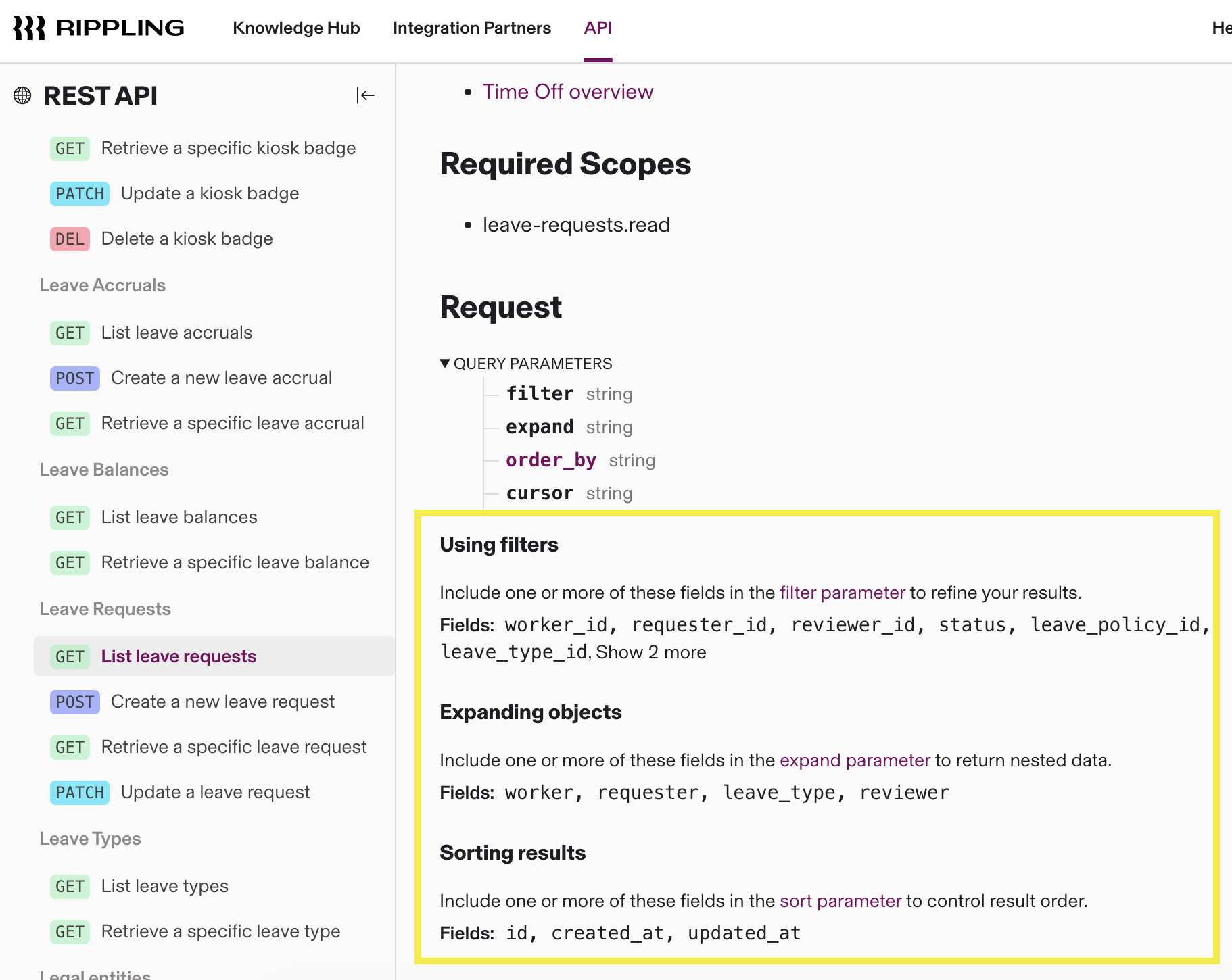
Query parameters are used to control the data being returned from the Rippling APIs. The REST API supports filter, expand, and order_by query parameters.
See the API reference endpoint docs to determine what fields the query parameters can be used with.
You can use multiple query parameters in the same call by separating them with &:
?expand=user&order_by=created_at
Filter
The filter query parameter is used to filter the data returned from the API - similar to a where clause. The following operators are supported:
| Operator | Description | Field Type | Example |
|---|---|---|---|
| eq | field Equal to value | string, number, date, boolean, ID | status+eq+'ACTIVE' |
| ne | field Not equal to value | string, number, date, boolean, ID | status+ne+'ACTIVE' |
| gt | field Greater than value | number, date | score gt 80 |
| ge | field Greater than or equal to value | number, date | score ge 80 |
| lt | field Less than value | number, date | score lt 80 |
| le | field Less than or equal to value | number, date | score le 80 |
| and | Logical AND | string, number, date, boolean, ID | status+eq+'ACTIVE'+and+score gt 80 |
| or | Logical OR | string, number, date, boolean, ID | status+eq+'ACTIVE'+or+status+eq+'HIRED' |
| in | Value is in a set - field in (value1, value2) | string, number, ID | status+in+('HIRED','ACCEPTED') |
You must URL encode the quotation marks and spaces when using the filter query parameter. See the examples below for proper formatting.
String
curl -X 'GET' \
  $'https://rest.ripplingapis.com/workers?filter=status+eq+%27ACTIVE%27' \
  -H 'accept: application/json' \
  -H 'Authorization: Bearer UOCgmwb.....'
Date
curl -X 'GET' \
  $'https://rest.ripplingapis.com/workers?filter=created_at%20ge%202024-10-01T00:00:00' \
  -H 'accept: application/json' \
  -H 'Authorization: Bearer UOCgmwb.....'
Filter by date
To get only the records created or changed after a date, filter on created_at or updated_at. Dates use the format YYYY-MM-DDTHH:MM:SS.
curl -X 'GET' \
  $'https://rest.ripplingapis.com/workers?filter=updated_at%20ge%202025-01-01T00:00:00' \
  -H 'accept: application/json' \
  -H 'Authorization: Bearer REDACTED'
To get a date range, join two conditions with and:
curl -X 'GET' \
  $'https://rest.ripplingapis.com/workers?filter=updated_at%20ge%202025-01-01T00:00:00%20and%20updated_at%20lt%202025-02-01T00:00:00' \
  -H 'accept: application/json' \
  -H 'Authorization: Bearer REDACTED'
Not every list endpoint supports date filters. Each endpoint's reference page lists the fields you can filter on under Filterable fields. For example, List workers can filter on created_at and updated_at, but List job assignments only filters on worker_id and job_code_id.
When an endpoint can't filter by date, sort by date instead. Most list endpoints list updated_at under Sortable fields. Sort newest first, then stop paging when you reach a record older than your cutoff:
curl -X 'GET' \
  $'https://rest.ripplingapis.com/job-assignments?order_by=updated_at%20desc' \
  -H 'accept: application/json' \
  -H 'Authorization: Bearer REDACTED'
Follow the next_link in each response as it is. It keeps your order_by and filter, so the order holds across pages. A record that changes while you page moves to the front of the list, so start your next sync from the time this one started.
Nodes
Nodes are an independent unit of a filter expression. Each unique condition in a filter query is considered one node. This includes a field, an operator, and a value. A maximum of 64 nodes can be used in a single filter expression.
For example, the filter first_name = John represents 3 nodes, broken down as follows:
- Field:
first_name - Operator:
eq - Value:
John
Expand
Fields in a response can represent objects themselves. Instead of making an additional API call, you can expand field(s) in a response using the expand query parameter.
- Use commas to specify multiple fields to expand.
- Use dot notation (.) to recursively expand.
- The API supports two levels of expansion and up to ten expanded fields per request.
curl -X 'GET' \
  'https://rest.ripplingapis.com/workers/?expand=user,compensation'
  -H 'accept: application/json'
  -H 'Authorization: Bearer UOCgmwb.....'
curl -X 'GET' \
  'https://rest.ripplingapis.com/workers/?expand=department.parent'
  -H 'accept: application/json'
  -H 'Authorization: Bearer UOCgmwb.....'
curl -X 'GET' \
  'https://rest.ripplingapis.com/workers?expand=manager,manager.user,user'
  -H 'accept: application/json'
  -H 'Authorization: Bearer UOCgmwb.....'
If the ID field is populated but the object returns a null value, expand it to see the details. The expanded object can still be null when the token is missing that resource's scope, or when the token owner cannot view the fields inside it. See Worker and user field access.
Not expanded
"compensation_id": "66fb9df422242346857e04c7",
"compensation": null,
Expanded
"compensation_id": "66fb9df422242346857e04c7",
"compensation": {
  "id": "66fb9df422242346857e04c7",
  "created_at": "2024-10-01T07:00:04.899000+00:00",
  "updated_at": "2025-04-12T05:25:40.165000+00:00",
  "worker_id": "66fb9df122242346857e0458",
  "worker": null,
  "annual_compensation": {
    "currency_type": "USD",
    "value": 250000
  },
Sort (order_by)
The order_by parameter is used to select field(s) to sort by and to define
whether results are sorted in ascending or descending order.
- Supported sort directions are
ascfor ascending order anddescfor descending order. - Unless indicated, the default sort direction is ascending order.
- Use commas to specify multiple fields to sort.
- The selected field(s) must not be another object, otherwise the
endpoint will return a
400error response.
curl -X 'GET' \
  'https://rest.ripplingapis.com/workers?order_by=created_at,updated_at desc' \
  -H 'accept: application/json' \
  -H 'Authorization: Bearer UOCgmwb.....'