Overview
Data APIs contain endpoints to view and manage data in the Rippling data model (also called the employee graph). This data can then be used throughout Rippling to power automations, inform analytics, and define policies.
To bring data from other systems into the Rippling data model, use Pipelines. See Get started with Pipelines.
| API endpoint | Required scopes | Schema | Notes / Requirements |
|---|---|---|---|
| GET List custom fields |
|
| |
| GET List custom objects |
|
| |
| GET Retrieve a specific custom object |
|
|
|
| POST Create a new custom object |
|
| |
| PATCH Update a custom object |
|
|
|
| DELETE Delete a custom object |
|
| |
| GET List custom object records |
|
|
|
| GET Retrieve a specific custom object record |
|
|
|
| POST Create a new custom object record |
|
|
|
| POST List custom object records by query |
|
|
|
| PATCH Update a custom object record |
|
|
|
| DELETE Delete a custom object record |
|
| |
| GET Retrieve a specific custom object record by its external_id |
|
|
|
| POST Bulk Create custom object records |
|
|
|
| PATCH Bulk Update custom object records |
|
|
|
| POST Bulk delete custom object records |
|
| |
| GET List custom object fields |
|
|
|
| GET Retrieve a specific custom object field |
|
|
|
| POST Create a new custom object field |
|
|
|
| PATCH Update a custom object field |
|
|
|
| DELETE Delete a custom object field |
|
| |
| GET List object categories |
|
| |
| GET Retrieve a specific object category |
|
|
|
| POST Create a new object category |
|
| |
| PATCH Update an object category |
|
|
|
| DELETE Delete an object category |
|
|
Permissions & scopes
Rippling's V2 API uses a permissions-based access model. The data returned by an endpoint depends on:
- The permission profile of the user who creates the API token. This includes the permission scope (e.g., “The entire company” vs. “Direct reports only”) and employment data access level (e.g., “View and edit all sensitive data” vs. “View all basic personal”).
- The scopes selected when the token is created.
The Required Scopes for each endpoint are listed in the API reference documentation.
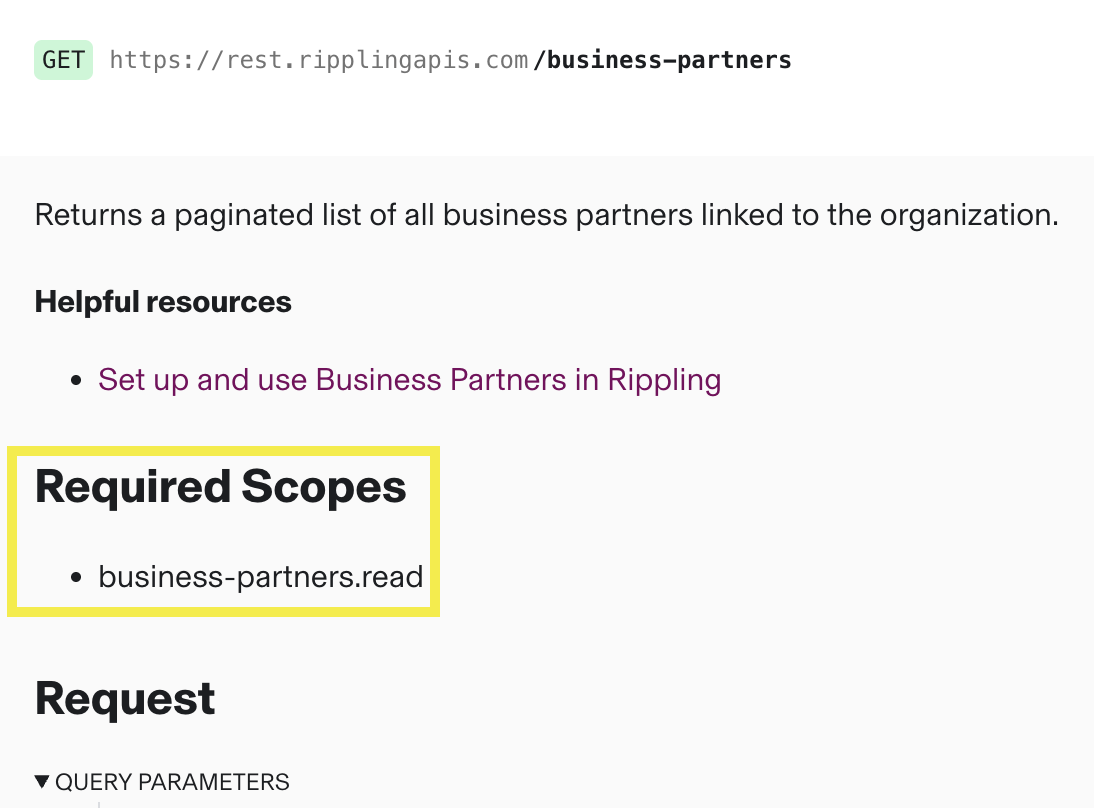
For more information on managing access using API tokens and permission profiles, see API Tokens and Permissions.
Call the API
To call a Data API endpoint:
- Verify the user’s permission profile and ensure they have the permissions required to access the desired data.
If the user’s permissions are limited (for example, “Basic personal data for direct reports only”):
- Some scopes will not be available when creating the API token.
- The API response will return limited data.
- Create an API token in the Developer app with the required scopes.
- Call the endpoint using the generated token.
Some endpoints require a specific resource ID (for example, a worker_id). In these cases, call the corresponding list endpoint first to fetch the ID (e.g. call GET List workers before calling GET Retrieve a specific worker).
Example: GET List custom fields
Request:
curl -L -X GET 'https://rest.ripplingapis.com/custom-fields' \
-H 'Accept: application/json' \
-H 'Authorization: Bearer REDACTED'
Response:
{
  "results": [
    {
      "id": "66a7d17398f2ee7f0d2aa787",
      "created_at": "2024-07-29T17:29:21.584000+00:00",
      "updated_at": "2024-07-29T17:29:21.588000+00:00",
      "name": "Color",
      "description": null,
      "required": false,
      "type": "TEXT"
    },
    {
      "id": "67327d73417c02d7c10fb626",
      "created_at": "2024-11-11T21:56:02.098000+00:00",
      "updated_at": "2024-11-11T21:56:02.101000+00:00",
      "name": "Choice Field 2",
      "description": null,
      "required": false,
      "type": "RADIO"
    },
  ],
  "next_link": null
}