Overview
Custom Settings helps you keep track of all the settings used in your functions. In the Developer app, settings are saved configurations that you can reference in functions, similar to variables. Settings can be useful for:
- Reusing common configurations
- Secret variables you want to reference securely
For example, say you need to include an API key in a function. You want to keep it secure, so you don’t want it to be visible within the code. You can save it as a setting, and then reference the setting in the function. The actual value of the setting will be filled in when the function runs.
Requirements
To create settings, you need Create custom settings or Manage custom settings in the Developer app. The Developer profile includes Create custom settings. For more information, see Permissions for the Developer app.
Creating a setting
To create a setting in the Developer app, follow these steps:
- Open Developer. If your sidebar groups apps under Tools, select Tools > Developer.
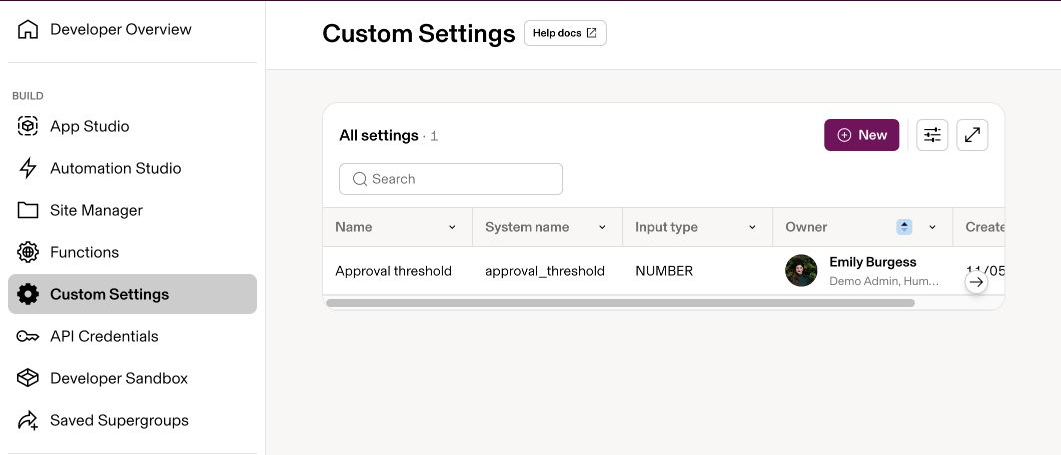
- Under Build, select Custom Settings. It has its own page at
/developer/settings, separate from Functions. - Click New.
- Give the setting a Display name and a System name. The system name must be unique.
- Select the Input type: secret, string, boolean, or number.
- Enter the Value. The Owner is initially you. After creation, someone with permission can change the owner through Manage access.
- Click Save.
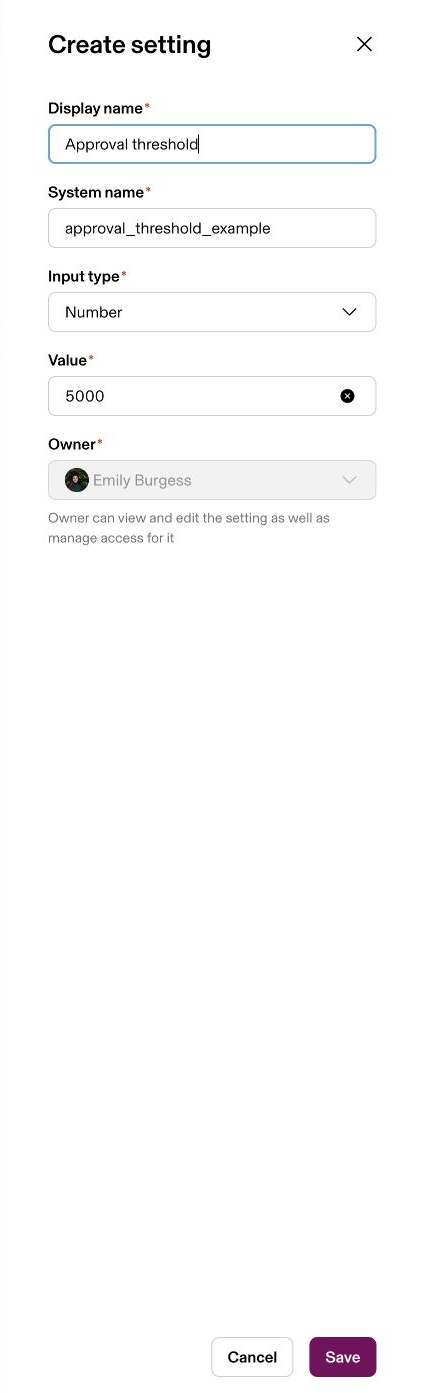
The setting is saved. Link it to each function that needs to read it; creating a setting alone does not make it available to a function.
You can also create a custom setting while linking settings to a function:
- Open your function and select the Settings tab.
- Click Add to open Select settings to add.
- Click New and complete the fields described above.
- Click Save.
- Select the new setting in the available settings list, then click Add to link it to the function.
When to use the secret input type
The secret input type should be used when configurations are meant to be private. Use it when:
- You need to store sensitive data like:
- API keys
- Passwords
- Access tokens
- Database credentials
- You want to keep secrets out of source code (for security and compliance)
Managing access
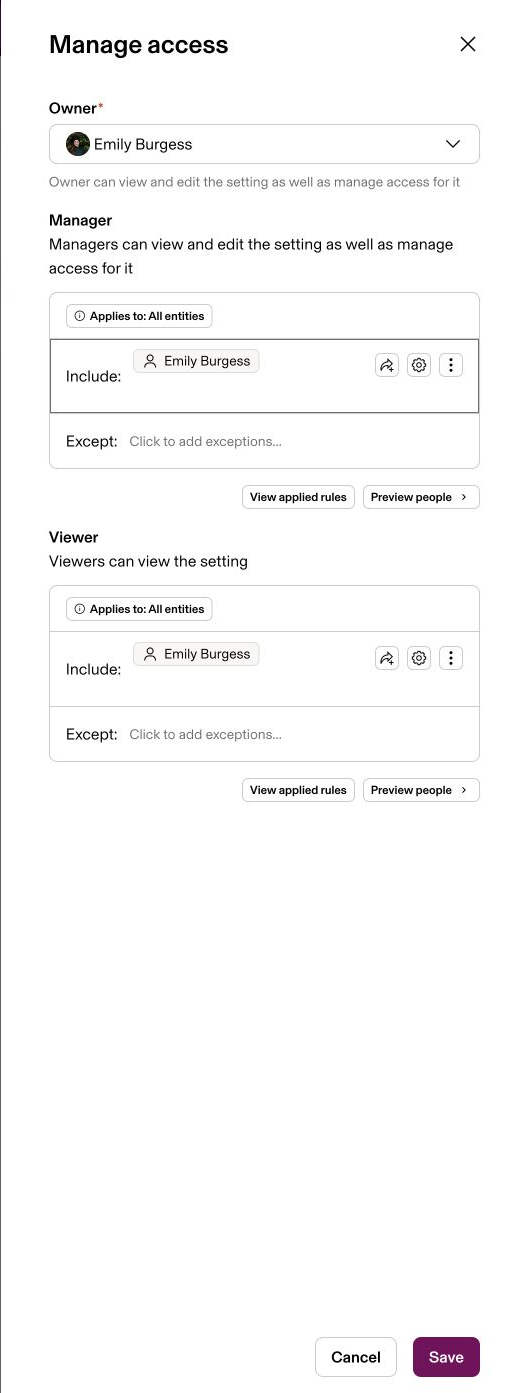
After you create a setting, you can give other people access to use it or manage it. To manage access to a setting, open its row menu and select Manage access.
There are two levels of access:
- Manager - Can view the setting to include it in functions, edit the setting, and manage access to it
- Viewer - Can view the setting to include it in functions
You can give access to individual people or use Supergroups to assign access automatically based on people’s attributes.
- Include - Provides access to those listed
- Except - Removes access from those listed
You can also use the AND operator to filter groups by multiple criteria. For more information about managing access using Supergroups, see our Help Center article.
Edit a setting
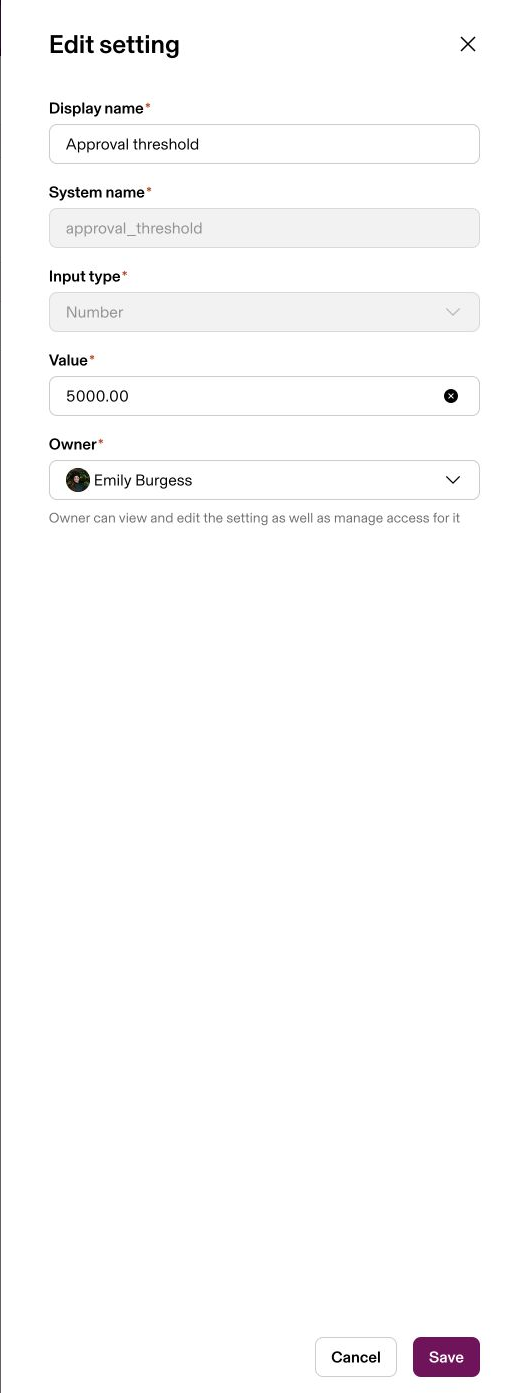
To edit a setting, open its row menu and select Edit.
You can change the following:
- Display name
- Value
- Owner
You cannot edit the system name or input type on an existing setting. If you need to change one of these, consider creating a new setting.
Linking settings to functions
Link each setting to every function that needs to read it.
- Open your function and select the Settings tab.
- Click Add to open Select settings to add.
- Select the settings you want to use. The list shows settings available to you that are not already linked to this function.
- Click Add. The selected settings appear in Linked settings.
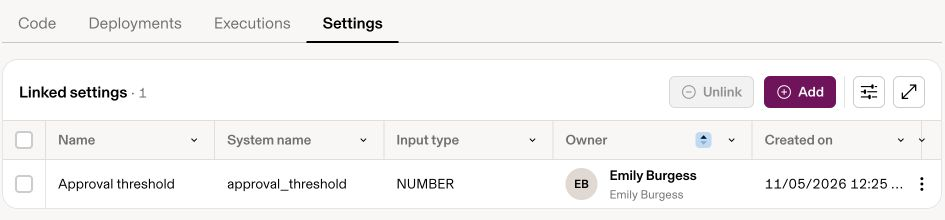
Accessing the settings in a function
Once a setting is linked to a function, you can use it like a variable by retrieving it from context.settings. The setting in this example securely stores the secret API key needed to access the Rippling SDK:
  const apiToken = String(context.settings["rippling_sdk_token"]);
  const ripplingSDK = new RipplingSDK({ bearerToken: apiToken });
Manage setting values with the REST API
You can use the Settings API to list settings and update their values programmatically. For create and update requests, send the setting value in the value field using the JSON type that matches the setting's data_type.
For authentication, scopes, and complete request examples, see Create and manage settings.