When in the beta testing stage, app listings are unable to be modified. To make changes to an app listing in beta testing, you'll want to cancel the review for the listing version, which will move it back to a state in which it is editable. After the changes have been made, you'll re-submit the app listing for integration review.
Cancel current listing review
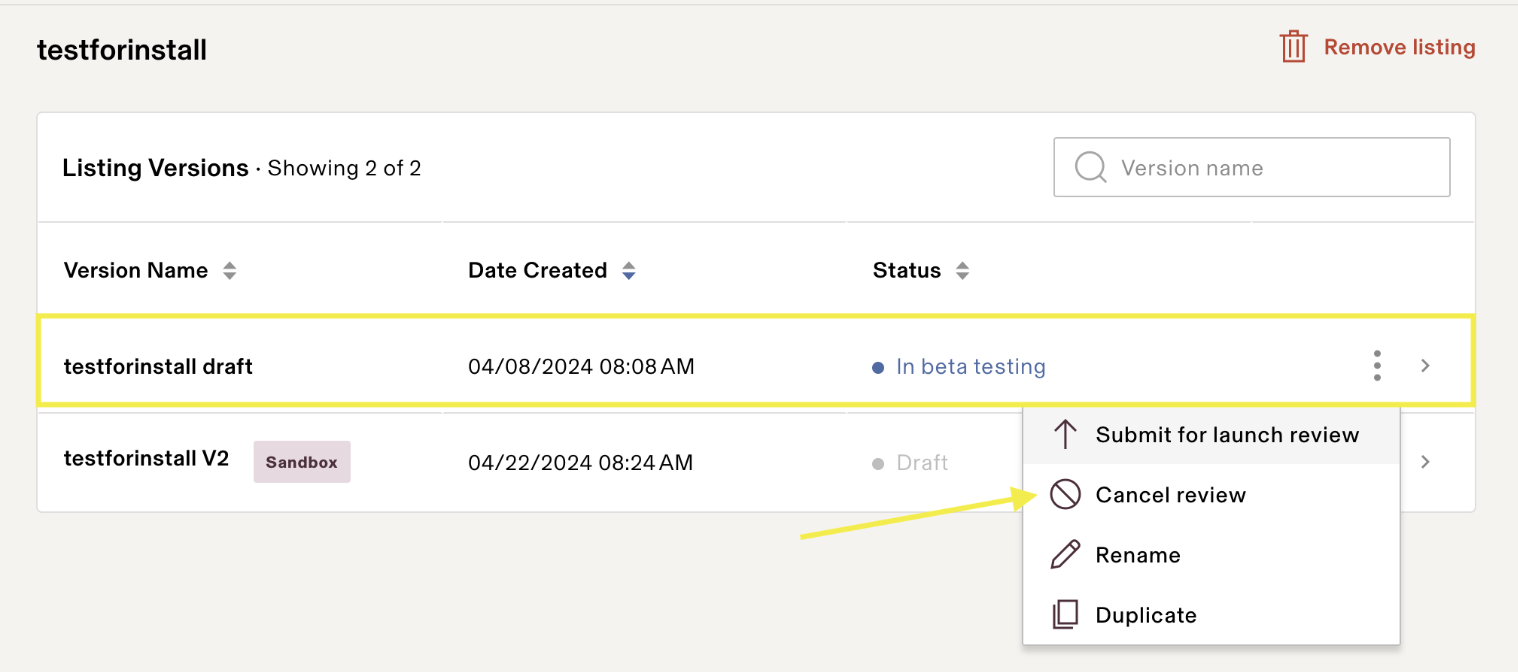
Within the Listing Versions tab, select the three dots next to the app listing in beta testing and select Cancel review.
Make changes
Select the > icon to the right of the app listing version and make the necessary updates.
Deploy changes
This step is only needed if you are wanting to replace this listing version as the sandbox app!
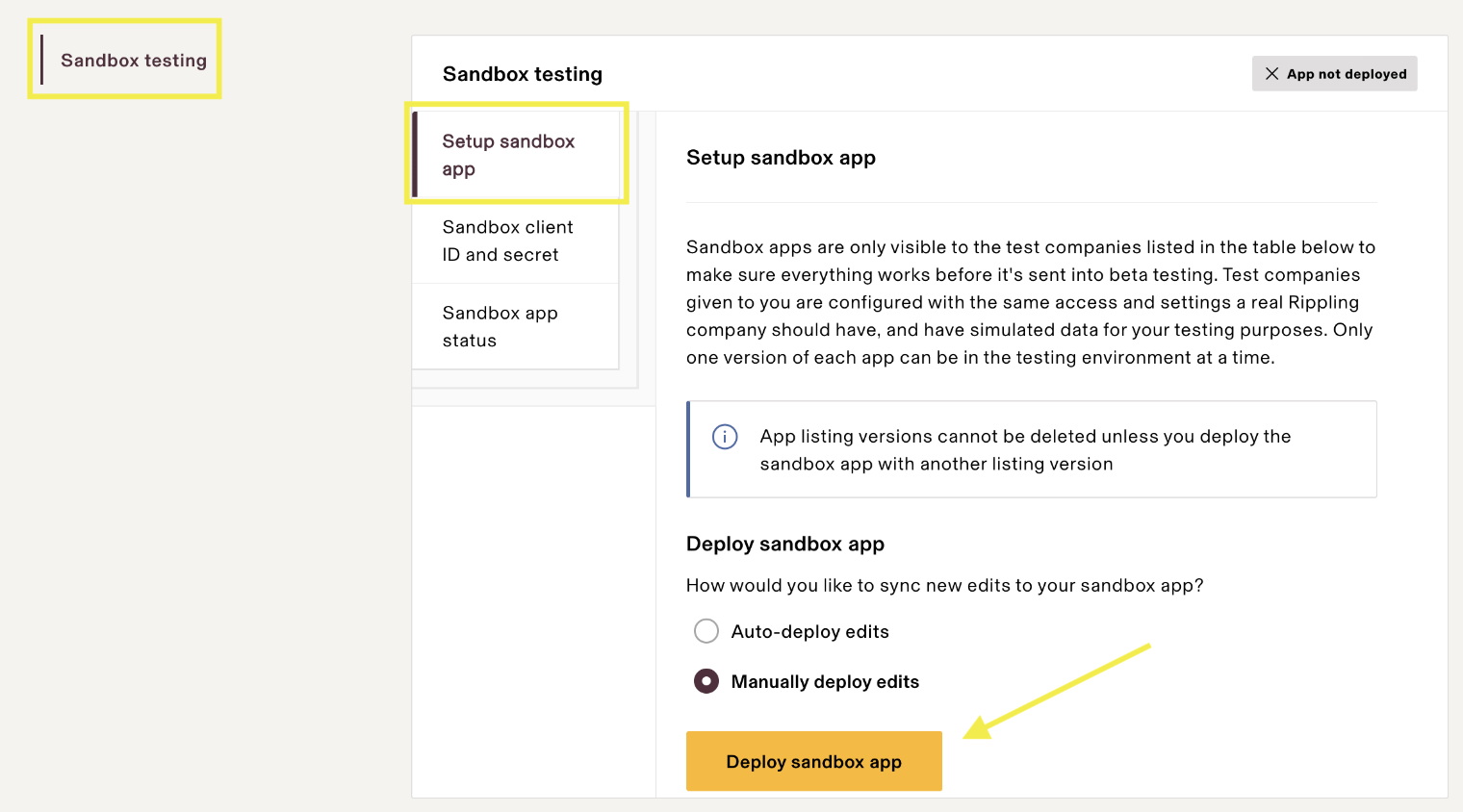
After all the changes have been saved, you'll navigate to Testing > Sandbox testing > Setup sandbox app and deploy these changes (this will need to be done regardless of the deploy setting). After selecting Deploy sandbox app, you'll select Replace sandbox app.
Submit for review
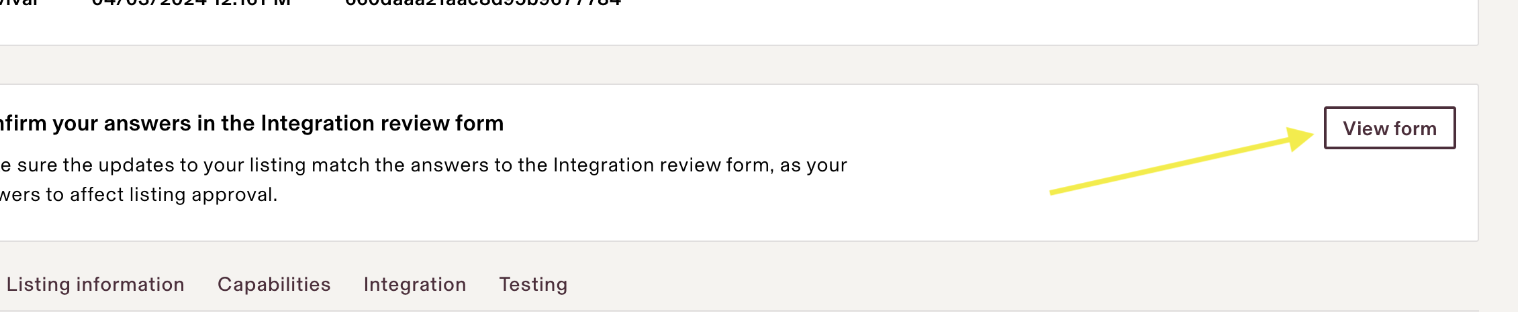
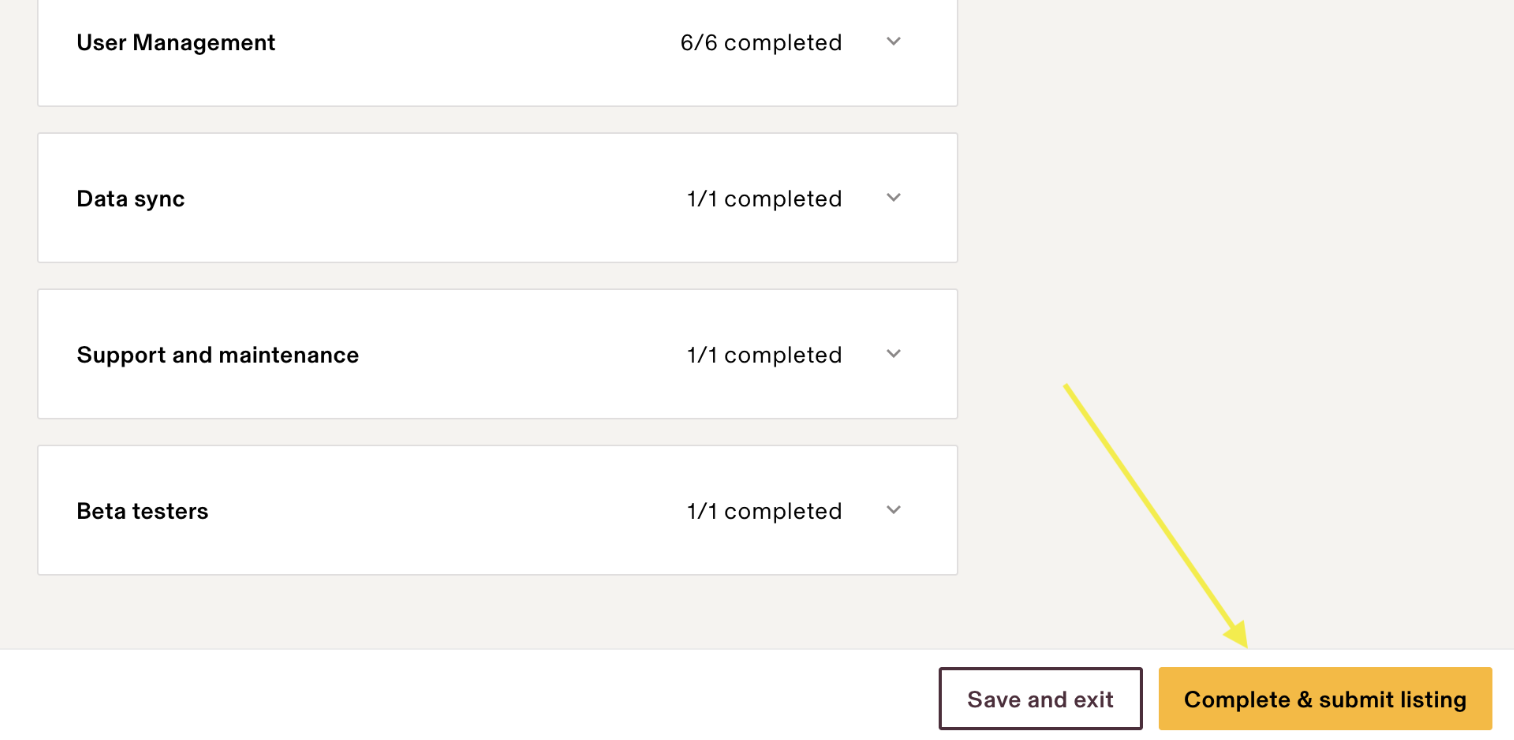
After all the changes have been saved, you'll select View form to ensure the Integration Review form is complete and accurate. After that has been verified, you'll select Complete & submit listing.