

Deploy edits
If you have already deployed your sandbox app but have made edits/updates to your app listing, those edits will not automatically propagate to the sandbox app unless the Auto-deploy edits setting is turned on.
If this setting is not turned on, you must re-deploy any edits from your app listing to your sandbox app.
You can do this by going to the Testing > Sandbox testing > Sandbox app status tab of your app listing and clicking the Deploy edits button:
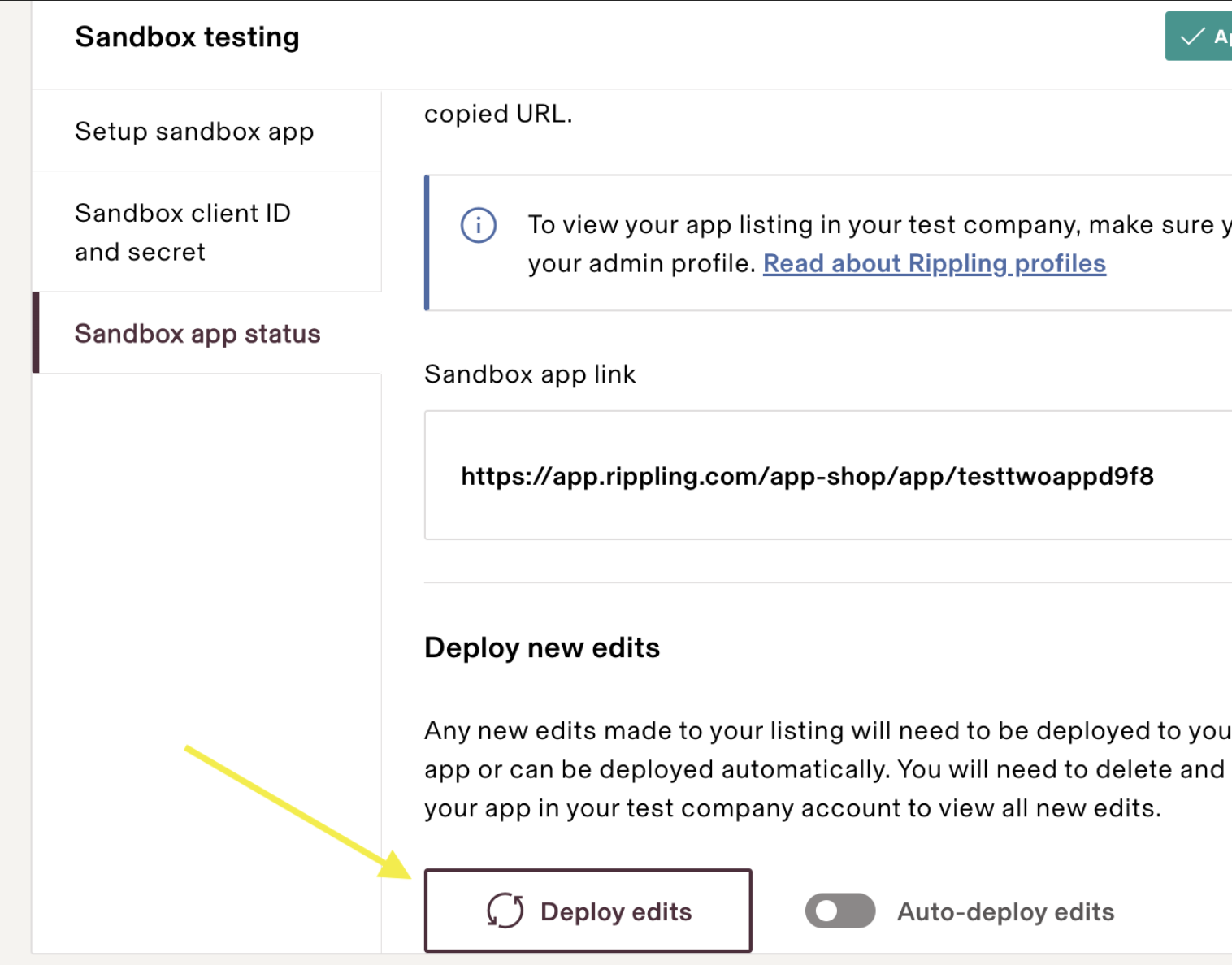
After these changes have been deployed, you'll want to uninstall and reinstall the app listing within the test company in order to see these changes.