Overview
Developer APIs offer access to automation and platform tools created in the Developer app in Rippling, including functions and automations.
Automations
| API endpoint | Required scopes | Schema | Notes / Requirements |
|---|---|---|---|
| GET List workflows |
|
| Returns a paginated list of workflow summaries. |
| POST Create a workflow |
|
| Requires name, trigger, and actions. Creates a draft workflow by default. |
| GET Retrieve a workflow |
|
| Requires the workflow id from GET List workflows. Returns the full definition and authoring capabilities. |
| PATCH Update a workflow |
|
| Requires the workflow id and current version_id. |
| DELETE Delete a workflow |
| - | Requires the workflow id. The workflow must be marked deletable. |
| POST Execute a workflow action from Rippling Functions |
|
| Requires action_type, payload, and workflow_definition_id. |
Functions
| API endpoint | Required scopes | Schema | Notes / Requirements |
|---|---|---|---|
| GET List functions |
|
| |
| GET Retrieve a specific function |
|
|
|
| POST Create a new function |
|
| |
| PATCH Update a function |
|
|
|
| GET List function executions |
|
|
|
| GET Retrieve a specific function execution |
|
|
|
| GET List function execution logs |
|
|
|
| POST Create a new function execution |
|
|
|
| GET List function deployments |
|
|
|
| GET Retrieve a specific function deployment |
|
|
|
| GET List function deployment logs |
|
|
|
| POST Create a new function deployment |
|
|
|
| POST Create a new function dev bundle |
|
|
|
Settings
| API endpoint | Required scopes | Schema | Notes / Requirements |
|---|---|---|---|
| GET List custom settings |
|
| Secret values are omitted. |
| GET Retrieve a custom setting |
|
| Requires the setting api_name from GET List custom settings. Secret values are omitted. |
| POST Create a custom setting |
|
| Send the setting value in value; its JSON type must match data_type. |
| PATCH Update a custom setting |
|
| Requires the setting api_name. Send the new setting value in value. |
| DELETE Delete a custom setting |
| - | Requires the setting api_name. |
See Create and manage settings for request examples for string, secret, number, and boolean settings.
Sites
| API endpoint | Required scopes | Schema | Notes / Requirements |
|---|---|---|---|
| GET List sites |
|
| Returns a paginated list of sites you can view or edit. |
| GET Retrieve a specific site |
|
| Requires the site api_name. Returns one site by that exact API name. |
| POST Create a presigned staged upload batch |
|
| Requires file_intents. Returns upload URLs for your site files. Each staged upload expires 1 hour after you presign it. |
| POST Create a new site |
|
| Requires name, api_name, and file_id from the staged upload. |
| PATCH Update a site |
|
| Requires the site api_name. Pass file_id to replace all of its files. |
| GET List files in the active bundle |
|
| Requires the site api_name. Optional parent_path and recursive. |
| POST Apply file operations to a site bundle |
|
| Requires the site api_name and operations. Adds, renames, moves, or deletes individual files and folders. base_bundle_id must match the active bundle. |
| DELETE Delete a site |
| - | Requires the site api_name. |
See Create and manage sites for instructions on using these endpoints.
Permissions & scopes
Rippling's V2 API uses a permissions-based access model. The data returned by an endpoint depends on:
- The permission profile of the user who creates the API token. This includes the permission scope (e.g., “The entire company” vs. “Direct reports only”) and employment data access level (e.g., “View and edit all sensitive data” vs. “View all basic personal”).
- The scopes selected when the token is created.
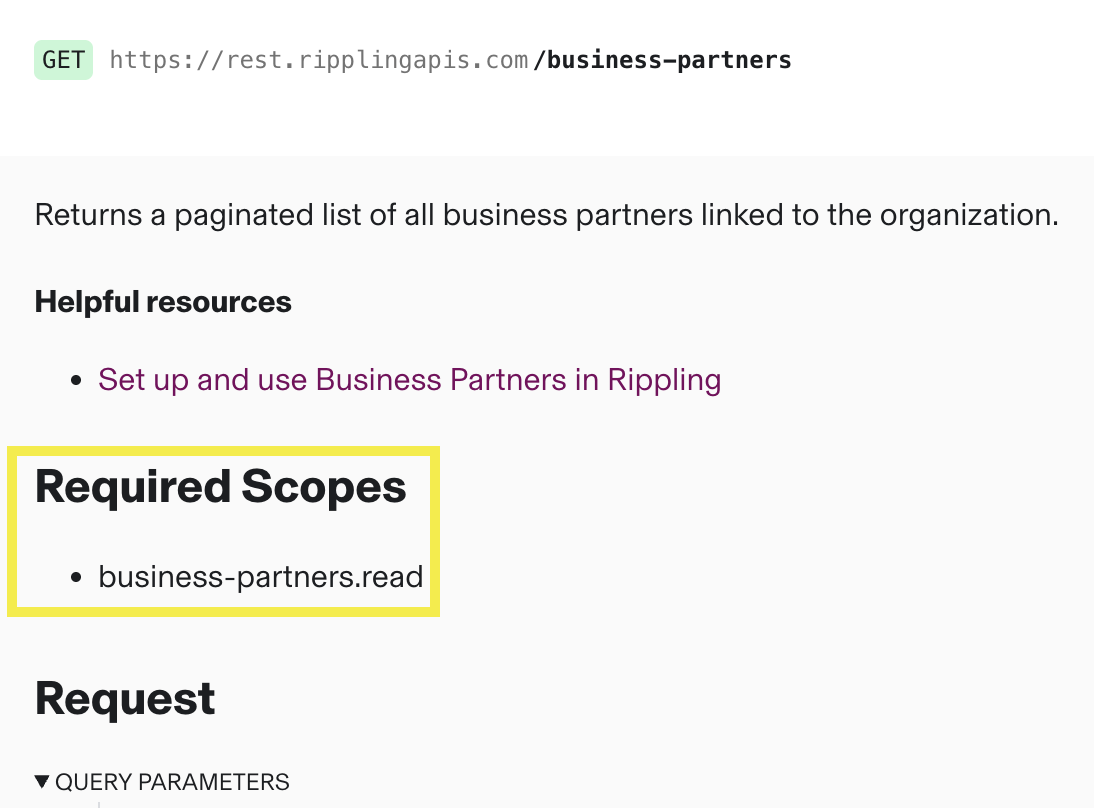
Each endpoint lists its required scopes in the Required Scopes section of the API documentation.
For more information on managing access using API tokens and permission profiles, see API Tokens and Permissions.
Call the API
To call a Developer API endpoint:
- Verify the user’s permission profile and ensure they have the permissions required to access the desired data.
If the user’s permissions are limited (for example, “Basic personal data for direct reports only”):
- Some scopes will not be available when creating the API token.
- The API response will return limited data.
- Create an API token in the Developer app with the required scopes.
- Call the endpoint using the generated token.
Some endpoints require a specific resource ID (for example, a worker_id). In these cases, call the corresponding list endpoint first to fetch the ID (e.g. call GET List workers before calling GET Retrieve a specific worker).
Example: GET List functions
Request:
curl -L -X GET 'https://rest.ripplingapis.com/functions/'' \
-H 'Accept: application/json' \
-H 'Authorization: Bearer REDACTED'
Response:
{
  "results": [
    {
      "id": "67af9fdd968c13ed38b352f2",
      "created_at": "2025-02-14T19:56:13.972000+00:00",
      "updated_at": "2025-12-18T23:25:07.197000+00:00",
      "name": "Test",
      "api_name": "test",
      "description": "",
      "code_draft": "{\n    \"object_api_name\": \"pet__c\",\n    \"record_ids\": [\"<object_id>\", \"<object_id>\"],\n    \"current_user\": \"<object_id>\",\n    \"app_id\": \"<object_id>\",\n    \"list_view_id\": \"<object_id>\",\n    \"page_id\": \"<object_id>\",\n    \"button\": \"my_cool_button\",\n    \"url\": \"https://app.rippling.com/custom-apps/objects/rto_expectation__c?app=rto_hub\", \n    \"trigger_type\": \"list view\",\n}",
      "dependencies": {}
    },
    {
      "id": "6966ad672626b42f91393418",
      "created_at": "2026-01-13T20:39:03.525000+00:00",
      "updated_at": "2026-01-13T21:40:17.684000+00:00",
      "name": "Test1",
      "api_name": "test1",
      "description": "",
      "code_draft": "import RipplingSDK, {\n  FunctionContext,\n  FunctionEvent,\n  FunctionResponse,\n} from \"@rippling/rippling-sdk\";\nimport _ from \"lodash\";\n\nexport async function onRipplingEvent(\n  event: FunctionEvent,\n  context: FunctionContext\n) {\n  const ripplingSDK = new RipplingSDK({ bearerToken: \"REDACTED\" });\n\n  // Log once to discover the real shape\n  console.log(\"event:\", JSON.stringify(event));\n \n  const ownerRole = (event as any).owner_role; // verify from logs\n  const name =\n    (event as any).name ??\n    (event as any).record_id ??\n    (event as any).inputs?.name;\n}",
      "dependencies": {
        "@rippling/rippling-sdk": "^0.2.0-alpha.25",
        "lodash": "^4.17.21",
        "moment": "^2.30.1"
      }
    }
  ],
  "next_link": null
}