Overview
Time APIs grant access to create and manage employee data within the Time product, which includes Schedules, Time & Attendance, Time Off, and Timeclock.
Schedules
| API endpoint | Required scopes | Schema | Notes / Prerequisites |
|---|---|---|---|
| GET List schedules |
|
| |
| GET Retrieve a specific schedule |
|
|
|
| POST Create a new schedule |
|
| |
| PATCH Update a schedule |
|
|
|
| GET List shift assignments |
|
| |
| GET Retrieve a specific shift assignment |
|
|
|
| POST Create a new shift assignment |
|
| |
| PATCH Update a shift assignment |
|
|
|
| PATCH Update custom fields for a shift assignment |
|
|
|
| GET List unassigned shifts |
|
| |
| GET Retrieve a specific unassigned shift |
|
|
|
| POST Create a new unassigned shift |
|
| |
| PATCH Update an unassigned shift |
|
|
|
| PATCH Update custom fields for an unassigned shift |
|
|
|
| POST Assign a worker to an unassigned shift |
|
|
Time & Attendance
| API endpoint | Required scopes | Schema | Notes / Requirements |
|---|---|---|---|
| GET List shift inputs |
|
| |
| GET Retrieve a specific shift input |
|
|
|
| POST Create a new shift input |
|
| |
| PATCH Update a shift input |
|
|
|
| DELETE Delete a shift input |
|
| |
| GET List time cards |
|
| |
| GET Retrieve a specific time card |
|
|
|
| GET List time entries |
|
| |
| GET Retrieve a specific time entry |
|
|
|
| POST Create a new time entry |
|
| |
| PATCH Update a time entry |
|
|
|
| DELETE Delete a time entry |
|
|
Time Off (Leave)
For a walkthrough of types, balances, accruals, program evaluations, and requests, see Manage Leave Using the API.
| API endpoint | Required scopes | Schema | Notes / Prerequisites |
|---|---|---|---|
| GET List leave accruals |
|
| |
| GET Retrieve a specific leave accrual |
|
|
|
| POST Create a new leave accrual |
|
| |
| GET List leave balances |
|
| |
| GET Retrieve a specific leave balance |
|
|
|
| GET List leave requests |
|
| |
| GET Retrieve a specific leave request |
|
|
|
| POST Create a new leave request |
|
| |
| PATCH Update a leave request |
|
|
|
| POST Evaluate a leave program evaluation |
|
|
|
| GET List leave types |
|
| |
| GET Retrieve a specific leave type |
|
|
|
Timeclock
| API endpoint | Required scopes | Schema | Notes / Prerequisites |
|---|---|---|---|
| GET List kiosk badges |
|
| |
| GET Retrieve a specific kiosk badge |
|
|
|
| POST Create a new kiosk badge |
|
| |
| PATCH Update a kiosk badge |
|
|
|
| DELETE Delete a kiosk badge |
|
|
Permissions & scopes
Rippling's V2 API uses a permissions-based access model. The data returned by an endpoint depends on:
- The permission profile of the user who creates the API token. This includes the permission scope (e.g., “The entire company” vs. “Direct reports only”) and employment data access level (e.g., “View and edit all sensitive data” vs. “View all basic personal”).
- The scopes selected when the token is created.
The Required Scopes for each endpoint are listed in the API reference documentation.
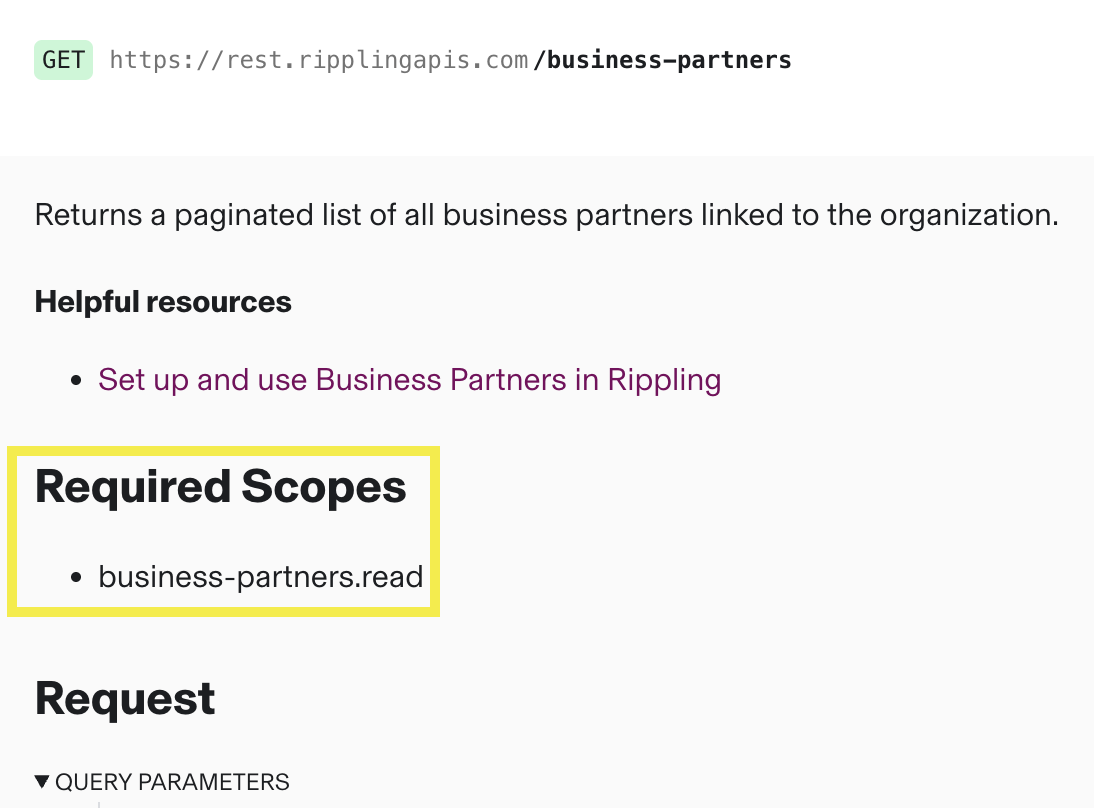
For more information on managing access using API tokens and permission profiles, see API Tokens and Permissions.
Call the API
To call a Time API endpoint:
- Verify the user’s permission profile and ensure they have the permissions required to access the desired data.
If the user’s permissions are limited (for example, “Basic personal data for direct reports only”):
- Some scopes will not be available when creating the API token.
- The API response will return limited data.
- Create an API token in the Developer app with the required scopes.
- Call the endpoint using the generated token.
Some endpoints require a specific resource ID (for example, a worker_id). In these cases, call the corresponding list endpoint first to fetch the ID (e.g. call GET List workers before calling GET Retrieve a specific worker).
Example: GET List schedules
Request:
curl -L -X GET 'https://rest.ripplingapis.com/schedules' \
-H 'Accept: application/json' \
-H 'Authorization: Bearer REDACTED'
Response:
{
  "results": [
    {
      "id": "6927433ff50eaaf5e219a7dc",
      "created_at": "2025-11-26T18:13:19.735000+00:00",
      "updated_at": "2025-12-02T20:52:50.456000+00:00",
      "name": "AM Team",
      "managers_id": [],
      "observers_id": [],
      "members_id": [
        "6569930dfb7bc7c3510f5bac",
        "66a42da5d80b34a7fc92a3df"
      ],
      "managers": null,
      "observers": null,
      "members": null,
      "can_edit": true,
      "settings": {
        "timezone": "America/Los_Angeles"
      }
    }
  ],
  "next_link": null
}