Overview
All app listings use Rippling API scopes to provide permissions to access certain types of information from Rippling companies.
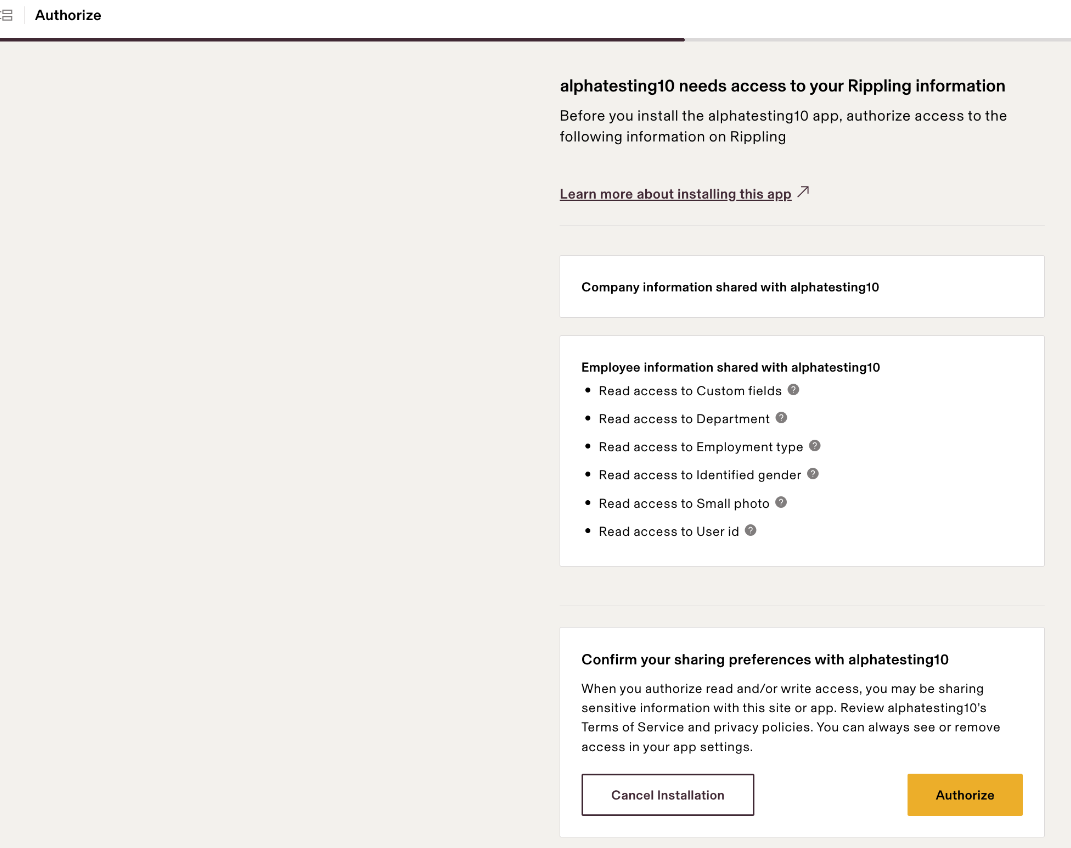
Rippling API scopes are configurable within each app listing. Scopes do not vary by customer for your app listing. Customers cannot choose to turn off scope ABC but turn on scope DEF when they install your app listing. As part of every app installation flow, each customer admin must provide consent and authorize all of the scopes that your app listing requires to power your integration. The screen that customers see during the installation flow looks like this:
Adding scopes
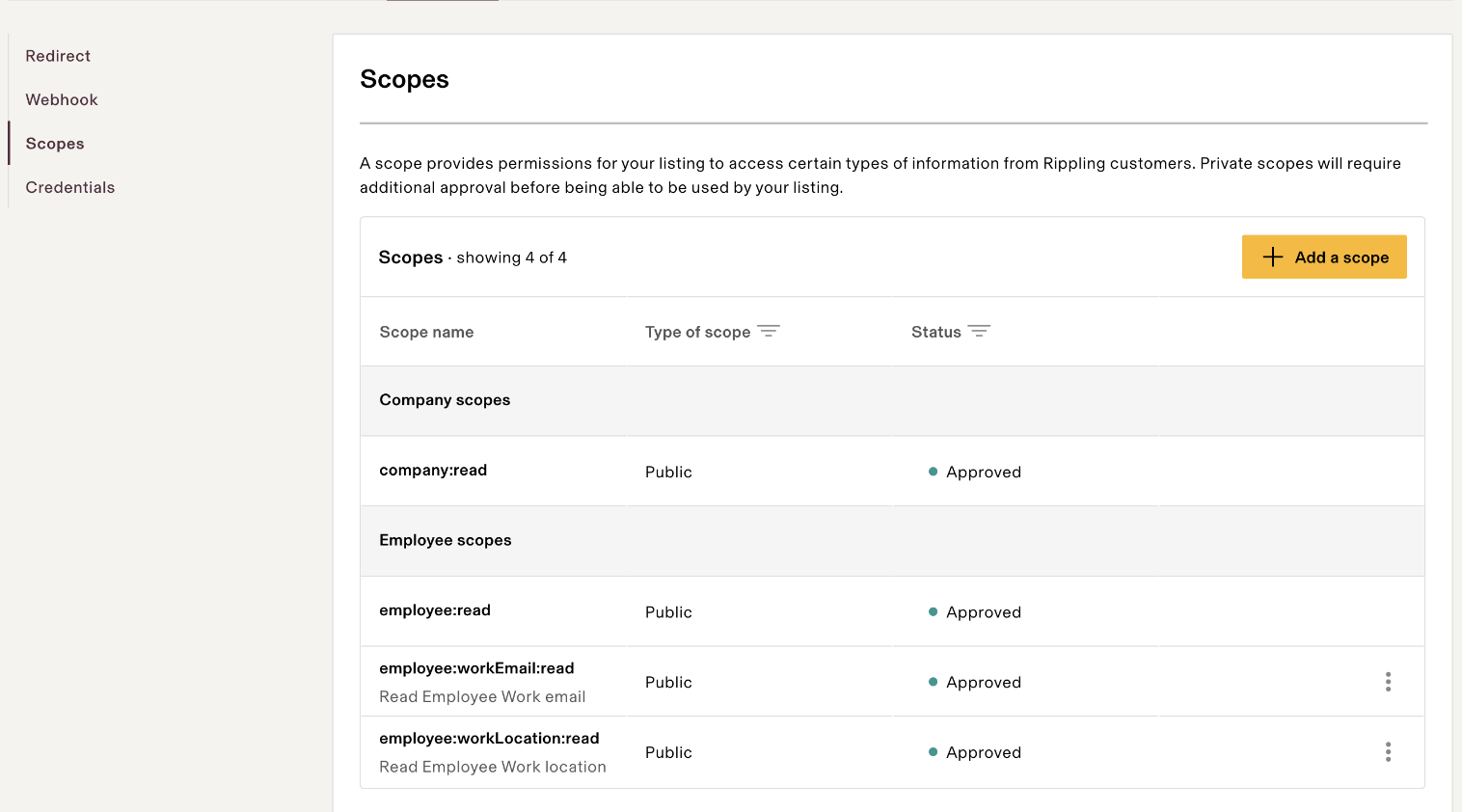
You can manage the scopes and your scope requests by going to the Integration > Scopes tab in your app listing version:
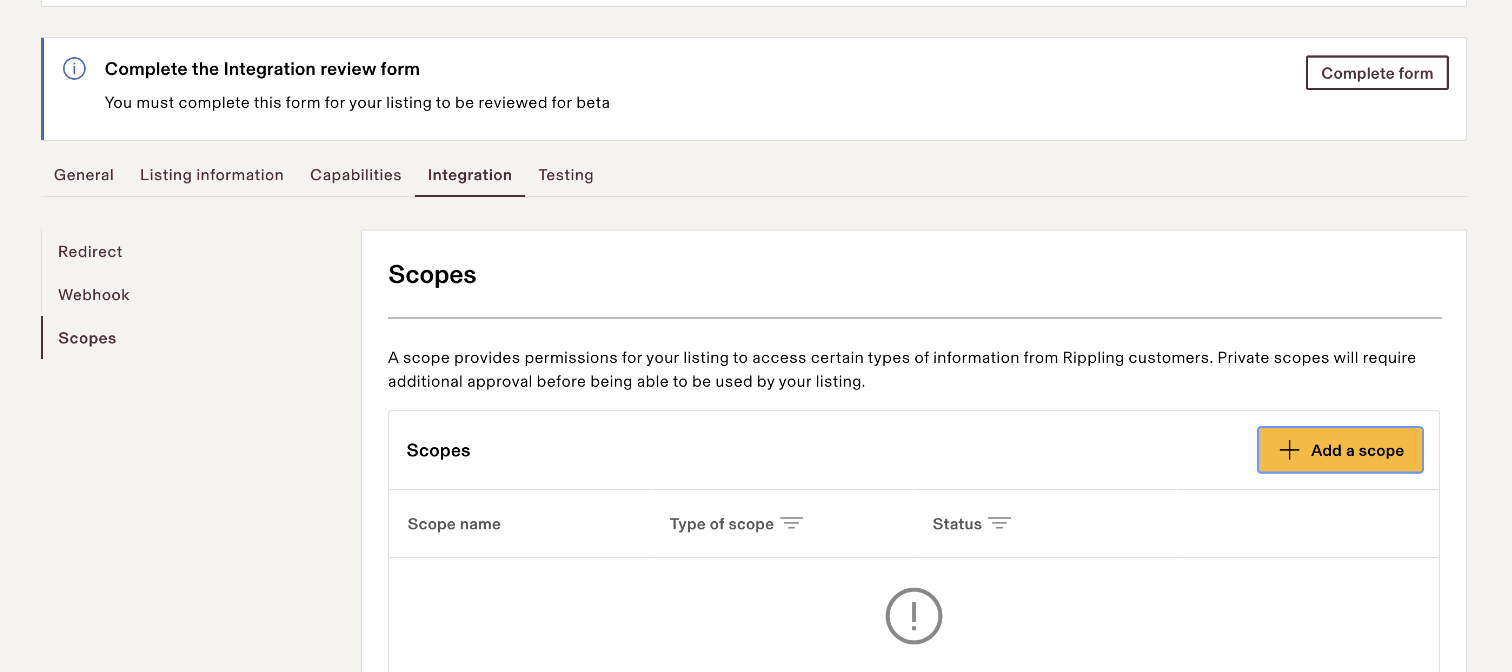
By default, your app listing will start with no scopes. To add scopes, click the Add a scope button. You will be brought to to the scope lists screen where you can see the categories of scopes and then click into each category to see the list of possible scopes you can add to your app listing:
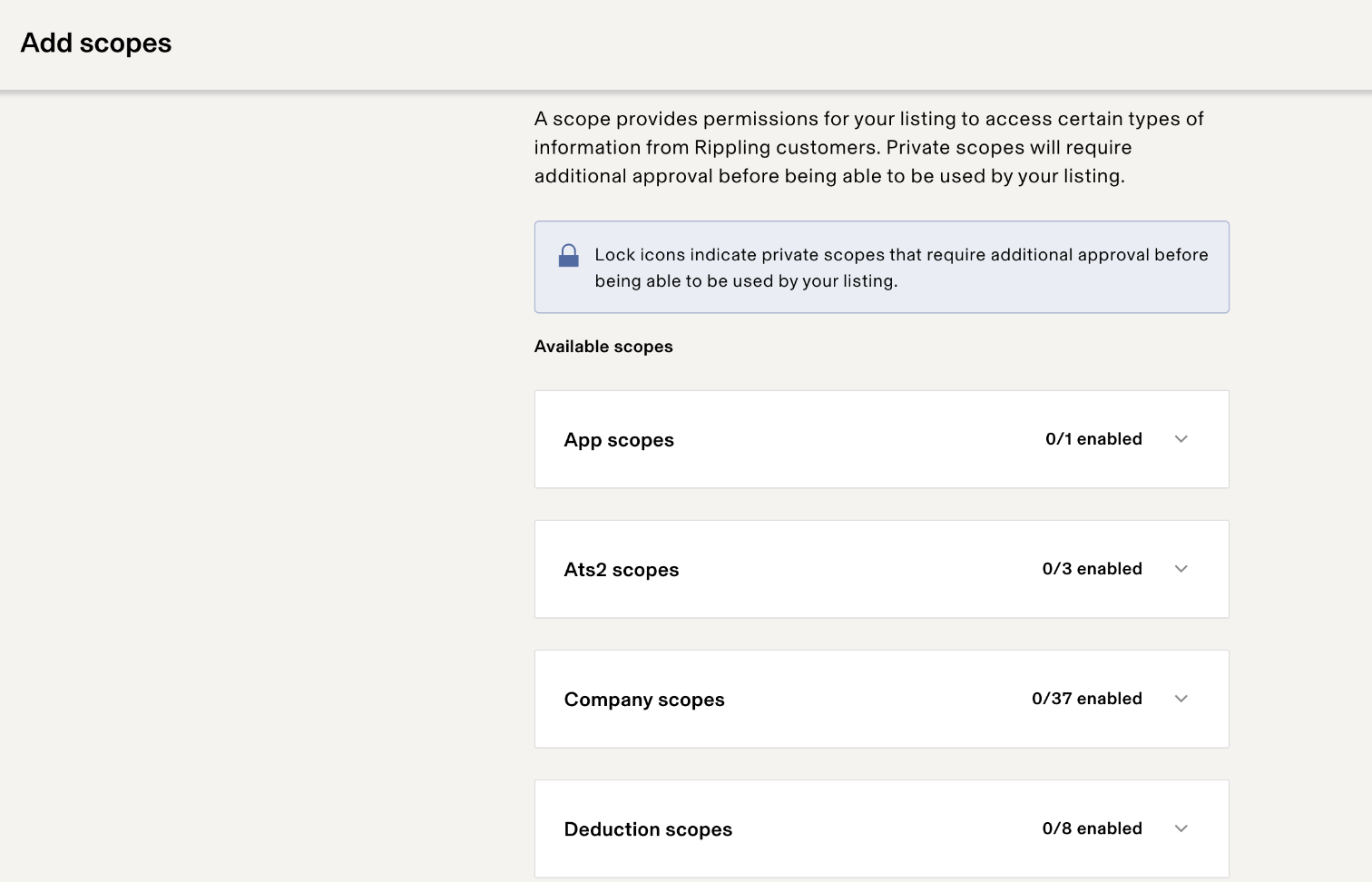
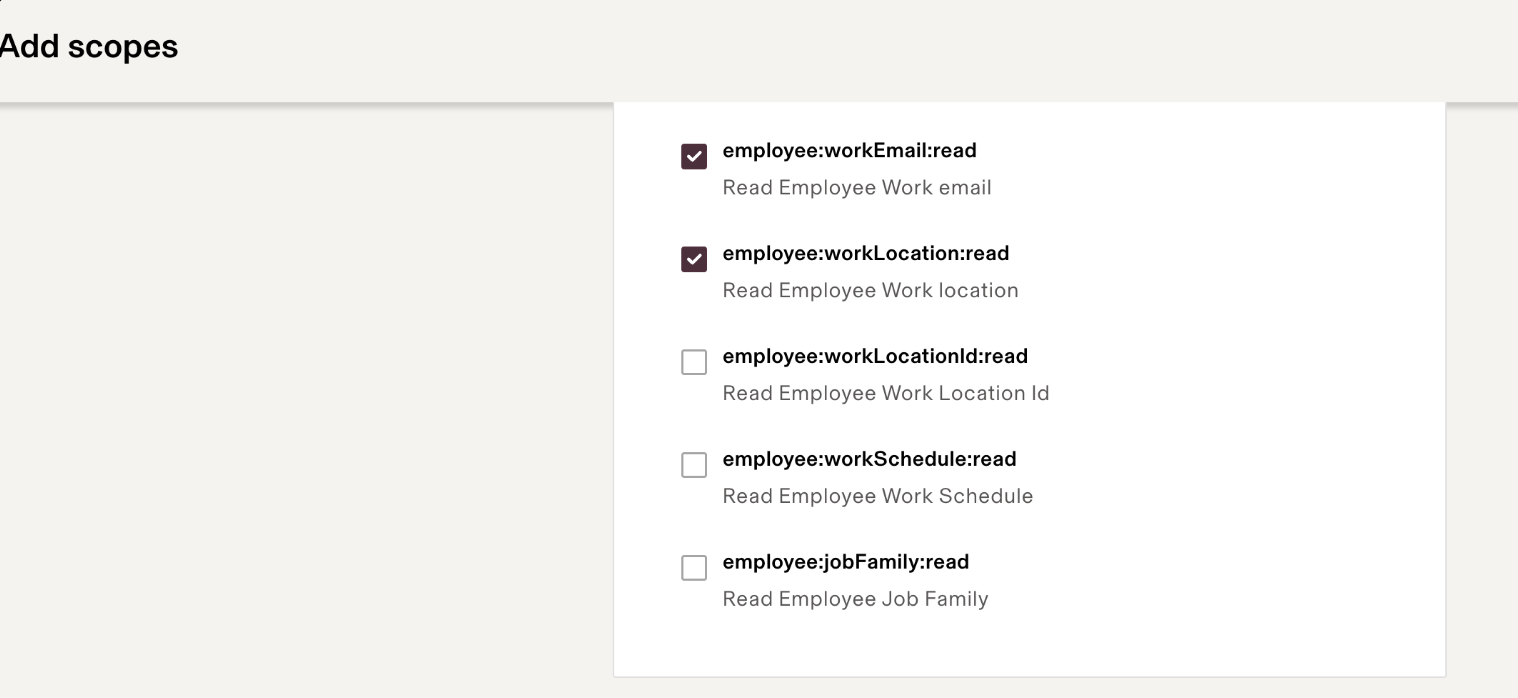
Select the checkboxes for the scopes that you'd like to add to your app listing and then click Continue:
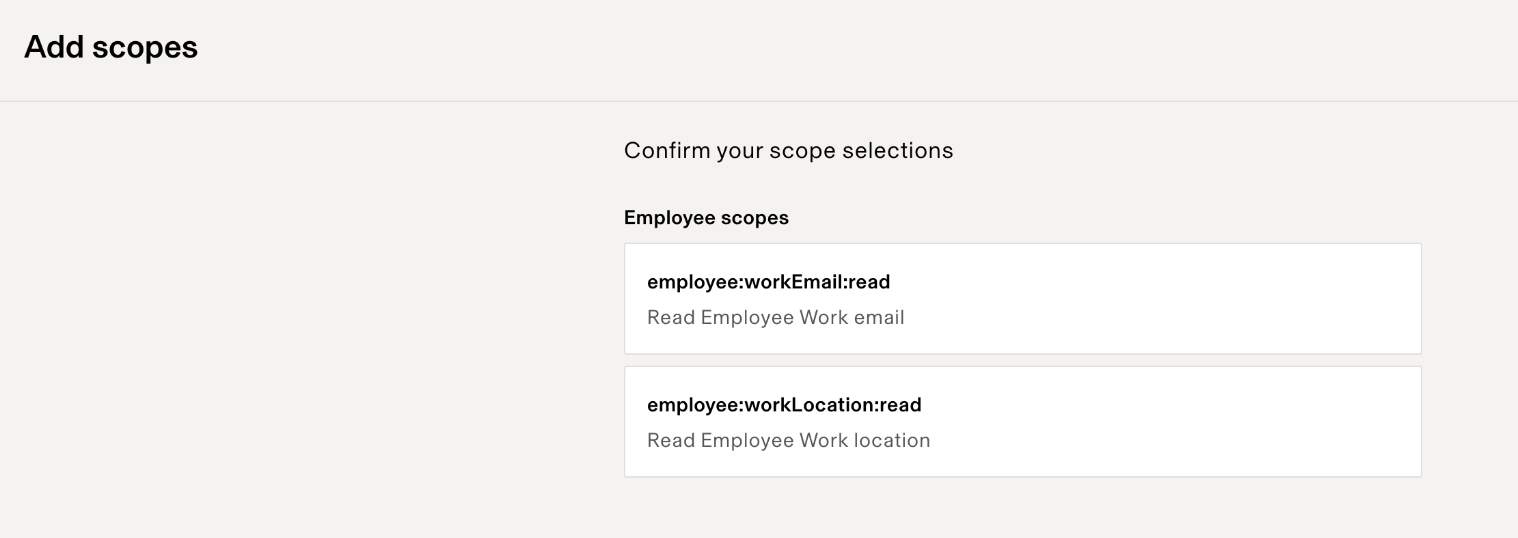
Confirm your scope selections:
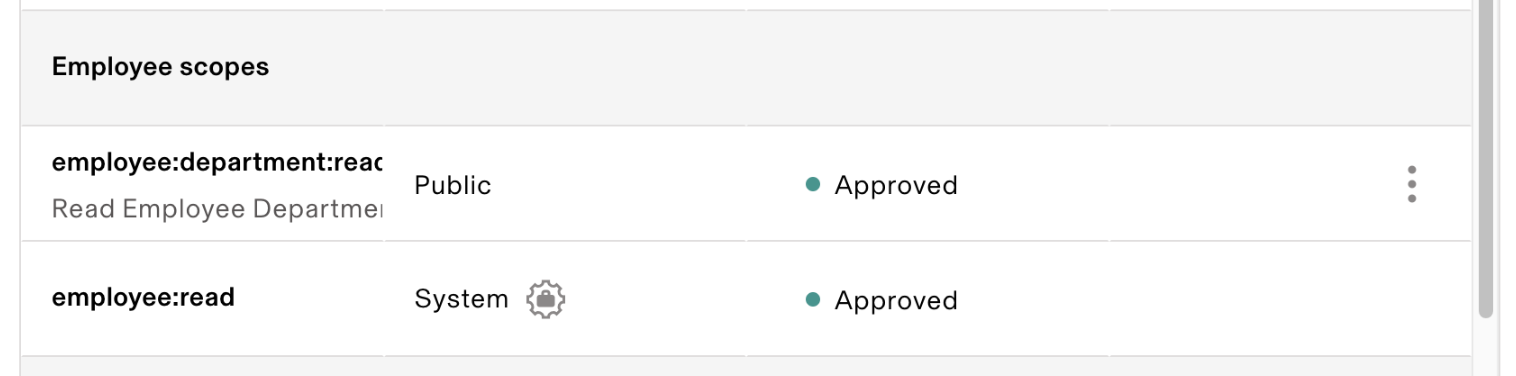
Once confirmed, you can then see the scopes added to your app listing and the status they are in:
Public vs. private scopes
Rippling API scopes can be public or private. Public API scopes don't require any approval and you can choose to add these scopes to your app listing as needed. When you add a public API scope to your app listing, it will be automatically approved and then added to your app listing. Once displaying as approved on your Scopes tab, you can then resync your sandbox app and reinstall to see the updated scopes.
Private API scopes require an approval from Rippling before being added to your app listing. When you go to add private API scopes, you will be required to input a reason for why you need this API scope. Reasons must be a comprehensively documented business case. Please capture why your app listing needs this data, what will you do with this data, and what value will this scope add to the customers.
For additional information on scopes, please see our Scopes Guide.
Access to Rippling's private API scopes is extremely limited.