

Overview
User Management allows customers to automate the creation, updating, and deletion of users in third-party software when actions are taken in Rippling. When supporting User Management, third-party apps must abide by certain requirements.
Rippling's User Management V2 is facilitated through:
- Admin Configuration
- Partner API Calls
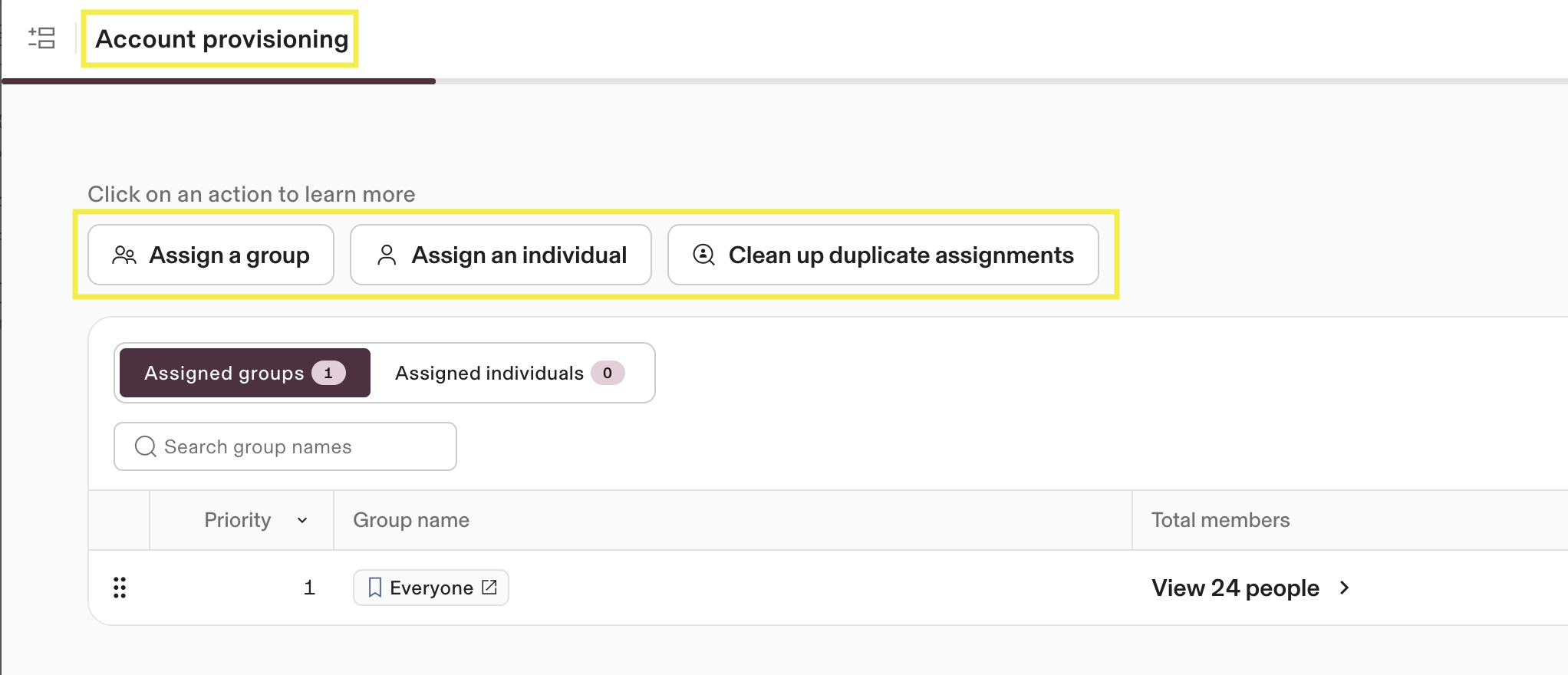
Within each app in Rippling, an admin can configure the account provisioning and provision time settings. This admin configuration is unique to each Rippling company.
The account provisioning setting allows customers to tell Rippling which employees should and should not automatically receive access as users in a third-party application. Admins can configure rules using groupings of employees within their company (e.g. "all full-time employees in the sales department" or "all employees on the product team located in New York").
You can read more about how account provisioning works here (article only accessible to active Rippling customers and partners).
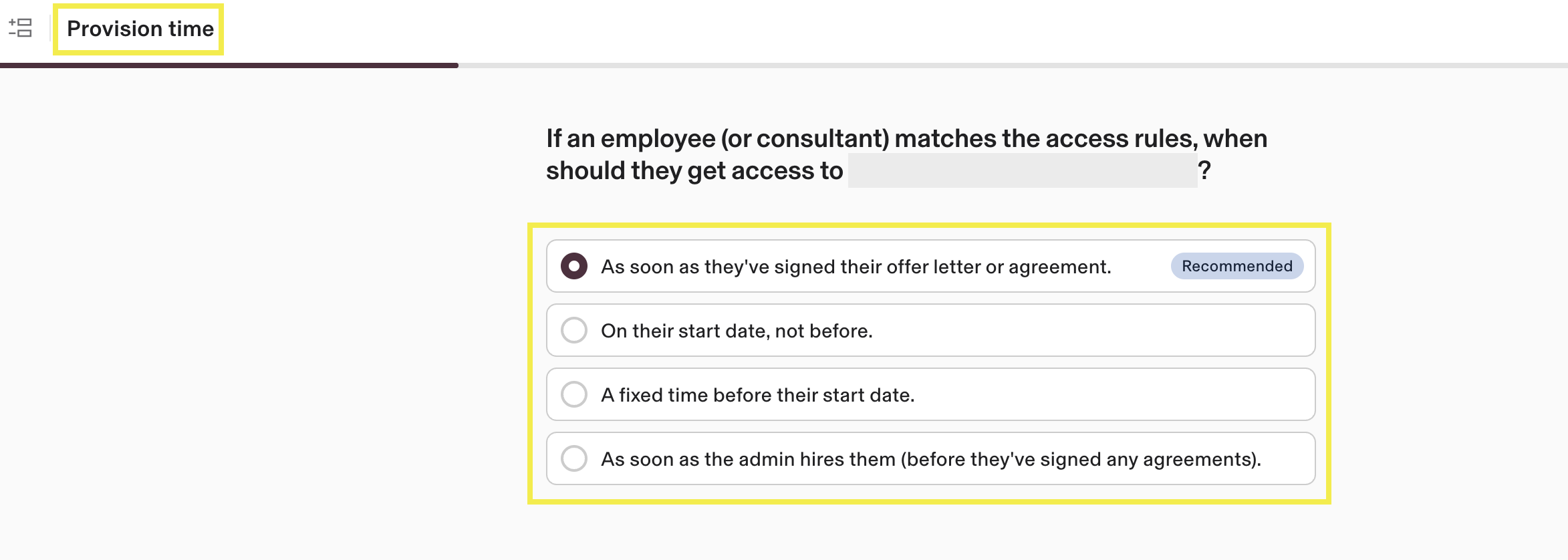
The provision time setting allows customers to tell Rippling when employees should have their user created in the third-party application if they meet the access rules. Admins can choose if they want employees to be set up with a user in the third-party application as soon as they've signed their offer letter, on their start date, on a fixed time before their start date, or as soon as the admin hires them.
You can read more about how provision time settings work here.
Both of these settings, configured by customers, determine which and when employee webhook events are emitted to your webhook URL configured in your app listing. It also determines which employees are returned within the PROVISIONING supergroup.
V2 REST API partners will use the following sequence of API calls to determine which users have access to your app listing:
- Install the app: The admin will complete the app install.
- Fetch the provisioned user group using GET List Supergroups: Make a call to GET List Supergroups. Only groups relevant to your app install will be returned.
- Locate the group with the
display_namecalledPROVISIONING. Retrieve theidfor this group. - Fetch group members using GET List Supergroup Members: Use the id obtained from the previous step, and call the GET List Supergroup Members endpoint. The returned members of this supergroup will contain the employees provisioned to use your app.
- Map users to employees using GET List Workers: The
employee_idfrom GET List Supergroup Members corresponds to aworker_id. - Use GET List Workers to fetch more details, if needed. Use the
numberfield when expandinguserfrom GET List Workers as the definitive identifier for mapping employees in your system. This field serves as the unique ID for the employee.
Requirements
To understand the user management requirements expected from apps in the Rippling App Shop, refer to our Partner Requirements.
FAQs
If you're a partner seeking answers or encountering difficulties while integrating with Rippling, please contact us at partner.support@rippling.com. Ensure our responses reach you by preventing emails from this address from being filtered into your spam folder.